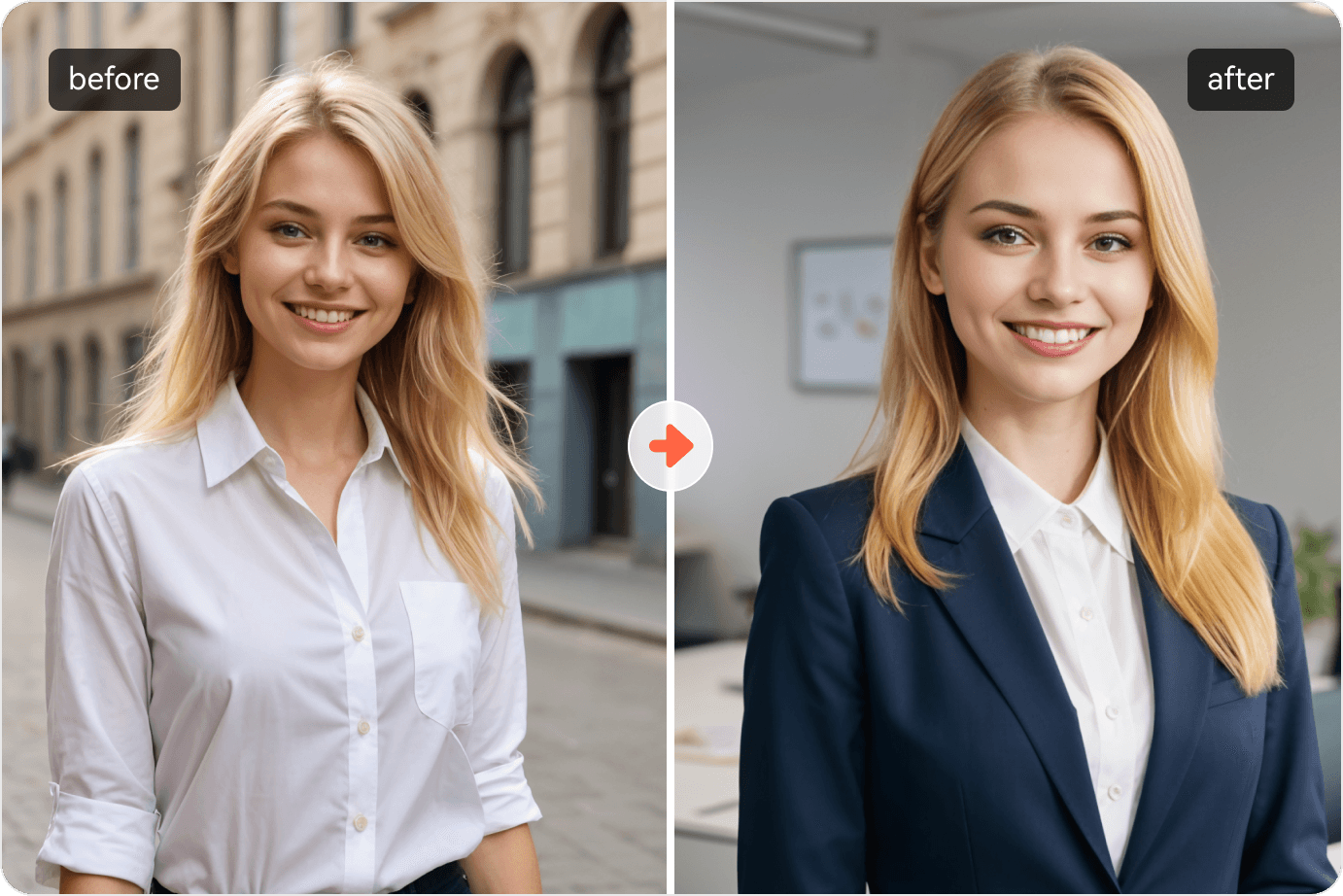
Artificial intelligence (AI) is changing graphic design by helping designers explore ideas, create images, edit assets, and handle routine tasks. Work that once needed several manual steps can now start with a short prompt. Designers then select, refine, and check the results.
These changes affect more than speed. AI gives beginners access to design tools and changes what clients expect from professionals. It also brings questions about originality, privacy, and the future of graphic design jobs.
For graphics used in online content, search research can help teams understand audience questions before writing the brief. Services offering group buy SEO tools provide a way to explore SEO tool access for this research. Search insights can inform a campaign’s topic and message, while designers decide how to present them visually.
Understanding how artificial intelligence is changing graphic design starts with its uses and limits. AI can support the design process, but clear goals, sound judgment, and final approval still need human input.
Key Takeaways
- AI helps with research, ideation, image creation, and editing.
- Design automation can reduce repetitive work.
- More output does not always mean better design.
- Brand identity and visual quality need human review.
- Designers need both design skills and AI knowledge.
- AI-generated work raises questions about rights and trust.
What Does AI in Graphic Design Mean?
AI in graphic design means using software that learns patterns from data to help create or change visual work. Designers can use it to generate images, suggest layouts, remove objects, or explore color choices.
How AI-Assisted Design Works
Machine learning is a method that lets software learn patterns from examples. In design, those patterns may involve images, shapes, text, or visual styles.
Generative AI uses learned patterns to produce content. A designer enters a prompt, and the tool creates an output based on that request.
AI image generation creates visuals from instructions. AI art generation can produce images in a range of styles. Other tools edit existing assets or suggest changes.
Technical terms include diffusion models, generative adversarial networks (GANs), and neural style transfer. These describe different ways to create or transform images. Designers do not need to build these systems to use AI design software.
Traditional Graphic Design vs. AI-Assisted Graphic Design
Traditional graphic design relies on designers to build and adjust visual elements through direct tool use. AI-assisted design adds generated options and automated steps.
For SEO research and competitor analysis, you can also review seotoolsgroupbuy.us.
| Task | Traditional approach | AI-assisted approach |
| Explore concepts | Sketch and gather references | Generate options, then select |
| Edit images | Make manual changes | Request edits, then refine |
| Develop layouts | Arrange each element | Review suggested arrangements |
| Create variations | Adapt each asset | Generate versions, then check |
Both approaches need design knowledge. AI changes how some tasks happen. Designers still need to judge whether the result meets the brief.
How Is Artificial Intelligence Changing the Graphic Design Process?
AI is changing the design process by shortening some research, creation, and revision tasks. Its value depends on the brief, the tool, and the quality of human review.
Supporting Research and Understanding Design Briefs
Designers can use AI to sort supplied information into a clear brief. Research summarization can pull out audience needs, deadlines, brand rules, and missing details.
For example, a designer might turn a long client document into a short list of goals and deliverables.
The summary still needs checking. AI can miss a detail or add a claim that the source does not support. Audience findings should come from real evidence, including user research where relevant.
Speeding Up Ideation and Mood Board Development
AI can support ideation by suggesting different visual directions for the same brief.
A food brand could explore simple packaging, bold product graphics, or warm hand-drawn scenes. These options help the designer compare routes before building a final concept.
Mood boards should guide discussion. Select ideas that fit the audience and message, with a clear reason for choosing each style.
Generating Images, Illustrations, and Visual Assets
AI illustration and image tools can create draft backgrounds, scenes, textures, and supporting graphics.
A designer can test several image ideas before choosing one to develop. This helps when a suitable stock image is hard to find.
Check generated assets closely. Faces, hands, objects, shadows, and small details can contain errors. Product images need special care because invented features can mislead buyers.
Automating Repetitive Design Tasks
Design automation can help with background removal, image cleanup, asset sorting, and some format changes.
These tasks often take time without needing a new creative idea for each step. AI for designers can reduce that workload and leave more time for concept work.
Some automation uses fixed rules rather than AI. Resizing a canvas, for example, does not always involve machine learning. The useful question is whether the feature handles the task well.
Assisting With Layouts, Typography, and Color Palettes
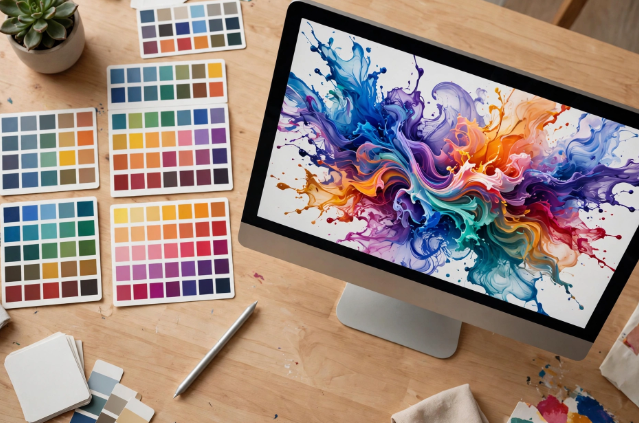
AI layout design can offer starting points for placing text and images. AI typography features may suggest font pairings, while AI color palette tools can propose color sets.
Treat each suggestion as a draft.
Check reading order, spacing, contrast, and text size. A layout may look balanced but make the main message hard to find. Fonts must suit the brand and stay clear at the final display size.
Editing Images With Generative Fill and Related Features
Generative fill can add or replace objects within an image. Adobe Firefly supports this type of editing through selected areas and text prompts.
A designer could replace a distracting background item or test a different scene.
Review the changed area at full size. Look for odd edges, wrong lighting, and details that no longer match the rest of the image.
Supporting Logo Concepts and Brand Identity Exploration
AI logo design can help explore symbols, shapes, and rough directions. AI branding tools can also show how a concept might look across different materials.
For SEO research and competitor analysis, you can also review seogroupsbuy.com.
A generated mark still needs careful development.
Check whether the logo is distinct, readable, and useful in small sizes. Refine its shapes and prepare suitable files. A complete brand identity also needs rules for color, type, imagery, and use.
Creating Variations Across Marketing Formats
AI can help adapt approved artwork for social posts, ads, and other formats.
Each version still needs a layout check. A square post and a narrow banner have different space limits. Automatic changes can crop key details or weaken the message.
Use approved brand assets and review text placement across every format. Consistency comes from clear rules as well as software.
Improving Iteration and Client Communication
AI can organize feedback, draft clear questions, and help compare revisions.
For instance, “make it more premium” is vague. A designer can break that request into choices about spacing, type, images, and color.
Show clients a small set of useful options with clear reasons. Too many versions can make approval harder and distract from the project goal.
What Are the Benefits of AI in Graphic Design?
AI can help designers work faster, explore more ideas, and reduce manual effort. Those gains depend on how much checking and rework the output needs.
Faster Production and Shorter Turnaround Times
A quick first draft can shorten the path to review. Simple edits may also take fewer steps.
Weigh the time saved during generation against time spent fixing errors.
More Concept Exploration Within a Project
Designers can compare more visual routes before choosing one. This can help test an idea that would take too long to build by hand at the draft stage.
Good selection matters more than the number of options.
Less Manual Work on Repetitive Tasks
Routine edits can take attention away from design decisions. AI-assisted tools can reduce some of that work.
The benefit is greatest when the task is clear and the result is easy to check.
Greater Design Accessibility for Beginners and Small Businesses
Guided tools give non-designers a way to create basic visual content.
Professional input remains useful when the work needs a distinct identity, a clear strategy, or careful production.
Easier Production of Consistent Asset Variations
Approved designs can become starting points for related assets.
Shared fonts, colors, and templates help maintain consistency. Every version still needs review before use.
What Are AI’s Limitations in Graphic Design?
AI can produce convincing visuals that fail the brief or contain errors. Visual appeal alone does not prove that a design is accurate, original, or ready to publish.
Can AI Replicate Human Creativity?
AI can generate fresh-looking combinations and useful surprises. That does not establish that it understands a design’s purpose or cultural meaning.
Human creativity includes choosing what to say, why it matters, and how people may respond.
Limited Understanding of Brand Strategy and Emotional Context
A prompt gives AI only part of the project context.
The tool may miss a sensitive subject, a brand promise, or an audience concern. Designers need to connect visual choices to the wider brief.
Generic Outputs and Inconsistent Visual Details
Broad prompts can lead to familiar-looking images.
Related outputs may also change a character, product shape, or visual style. Strong references and careful editing help, but checks remain necessary.
Errors in Typography, Composition, and Generated Images
Generated text can contain spelling errors or distorted letters. Images can include broken shapes and poor spacing.
For SEO research and competitor analysis, you can also review seogbtools.com.
Use editable text where possible. Check the composition at the size people will see.
Limited Precision and Editability in Some Outputs
Some outputs arrive as flat images. Separate objects, clean vector paths, or editable layers may be missing.
Print work also needs checks for resolution, bleed, color settings, and file format. A good screen preview does not confirm print quality.
Why AI Outputs Need Human Review
Review protects the message, the brand, and the final product.
Check accuracy, visual quality, asset permissions, and client requirements. Human-AI collaboration works best when someone takes clear responsibility for approval.
Which AI Design Tools Support Different Graphic Design Tasks?
Choose AI design tools by task and workflow fit. Check current features, access limits, and output formats before making them part of client work.
Adobe Firefly and AI Features in Adobe Creative Cloud
Adobe Firefly supports image creation and editing. Adobe also brings generative AI features into Creative Cloud apps, helping connect exploration with further design work.
Midjourney for Visual Exploration and Image Generation
Midjourney can serve as an image-generation option for concept exploration. Treat generated visuals as assets that need selection and review.
Canva AI for Assisted Design and Content Variations
Canva AI supports conversational design work and revisions. Review the generated content for accuracy, layout quality, and brand fit.
Figma AI for Relevant Visual Design Tasks
Figma AI includes focused tasks such as image editing, text changes, and summarizing notes. Keep its use here tied to visual assets and team feedback.
ChatGPT for Brief Analysis, Concept Development, and Design Feedback
ChatGPT can help structure a supplied brief, suggest concept directions, and turn feedback into revision questions. Check its suggestions against the source brief.
| Tool | Relevant use | Workflow stage | Main review need |
| Adobe Firefly | Generate or edit images | Creation and refinement | Image details |
| Midjourney | Explore visual concepts | Ideation | Fit and consistency |
| Canva AI | Develop and revise graphics | Drafting and adaptation | Layout and accuracy |
| Figma AI | Edit assets and organize notes | Refinement and feedback | Brand alignment |
| ChatGPT | Structure briefs and ideas | Research and planning | Facts and assumptions |
How Can Graphic Designers Build an AI-Supported Workflow?
Build an AI design workflow by setting clear goals, choosing suitable tasks, and reviewing outputs at each stage. Start with one project and a clear approval process.
Step 1: Define the Brief, Audience, and Deliverables
Write down the message, audience, deadline, and required files. List facts the design must communicate.
For a café campaign, the brief could require three social posts that promote a new breakfast menu to local office workers.
Step 2: Set Brand Rules and Choose Suitable AI Tasks
Gather approved logos, fonts, colors, and images. Decide where AI can help.
The café designer could use AI to explore backgrounds while keeping real food photos. This avoids showing dishes the café does not serve.
Step 3: Generate and Compare Initial Concepts
Create a small set of distinct directions. Give each concept a purpose.
For the café, compare a product-led layout, a price-led layout, and a morning routine theme. Judge each against the brief before refining it.
Step 4: Select and Refine Concepts With Design Fundamentals
Choose the strongest route and edit it with care. Adjust spacing, type, contrast, and image placement.
Keep prices and menu names as editable text. Confirm that the main offer remains clear on a phone screen.
For SEO research and competitor analysis, you can also review seogroupbuy.in.
Step 5: Review Originality, Permissions, and Sensitive Information
Check source assets and the tool’s terms. Remove private details from prompts unless their use is approved.
Record which assets came from the client, stock sources, or AI. This makes later checks easier.
Step 6: Collect Client Feedback and Revise the Design
Ask focused questions: Is the offer correct? Does the image show the right product? Is the message clear?
Group feedback into content, visual, and production changes. Resolve conflicting requests before making more versions.
Step 7: Check Final Files and Approve Deliverables
Check spelling, prices, dimensions, image quality, and export settings. Confirm client approval.
For the café campaign, deliver the approved posts and agreed source files. Save the final brief and asset records with the project.
Where Should Human Designers Lead the Process?
Human designers should lead decisions that need context, judgment, and responsibility. AI suggestions need someone who can explain why a design suits its purpose.
Brand Strategy and Creative Direction
Decide what the brand should communicate and how its visuals support that goal. Set a direction before generating assets.
Audience Understanding and Cultural Sensitivity
Review symbols, clothing, gestures, and language in context. A visual that suits one audience may confuse or offend another.
Original Concept Development and Visual Storytelling
Build a clear link between the message and the visual idea. Give each element a reason to appear.
Client Relationships and Design Decisions
Ask questions, explain choices, and manage feedback. Clients need a person who understands the project and can resolve tradeoffs.
Final Quality Control and Accountability
Name the person who approves the work. Responsibility for the delivered design stays with the team that supplies it.
What Ethical Issues Does AI Introduce in Graphic Design?
AI design ethics concern rights, consent, fair representation, privacy, and honest communication. Review these issues before publishing client work.
Copyright, Ownership, and Licensing Questions
Permission to use an output and copyright protection are separate questions.
The U.S. Copyright Office explains that copyright requires human authorship. Human-created parts of AI-assisted work may qualify, while purely AI-generated material does not. Rules differ across countries.
Check relevant terms and keep records of your creative input.
Training Data, Artist Consent, and Style Imitation
Review what a provider says about training data and asset sources. Prefer clear information over broad claims.
Describe visual traits in prompts, such as soft light or simple shapes. Avoid making close copies of another artist’s recognizable work.
Bias and Representation in Generated Visuals
Check who appears in the design and how people are shown. Watch for stereotypes in roles, age, skin tone, and ability.
Make deliberate choices that fit the audience and brief.
Client Privacy and Confidential Design Materials
Review data settings before uploading client files. Use approved tools and share only the information needed for the task.
Treat unreleased products, personal details, and private research with care.
Transparency About AI Use and Misleading Images
Agree with clients on how AI use will be disclosed. Follow relevant contracts and publishing rules.
Keep generated scenes from being mistaken for real evidence, actual products, or documented events.
How Is AI Affecting Graphic Design Jobs and Careers?
AI can reduce demand for some production tasks while changing what employers and clients expect from designers. The effect varies by role and market.
For SEO research and competitor analysis, you can also review seordp.net.
Shifting Demand for Production Work and Strategic Skills
Fast asset creation can put pressure on routine services. Designers can show value through clear concepts, sound choices, and reliable delivery.
Explain how your work solves the client’s problem.
Job Displacement, Task Automation, and Role Transformation
A task becoming automated does not prove that every related job will disappear.
The U.S. Bureau of Labor Statistics expects AI tools to raise productivity and reduce some demand for graphic designers. It also expects continued need for layouts and branding.
New Responsibilities and Career Opportunities
Teams may assign more work in AI output review, workflow setup, and brand oversight.
These duties can form part of existing roles. A new task does not always create a separate job title.
Changes for Freelancers and Design Agencies
Clients may request faster delivery or more versions. Define revision limits, approval stages, and deliverables early.
Price your graphic design services around the agreed scope and expertise. Include review and correction time when planning the work.
How Greater Design Accessibility Changes the Market
Some clients can create simple graphics themselves. Professional help becomes valuable when a project needs a distinct identity, coordinated assets, or careful production.
Show that difference through finished work and clear case studies.
What Skills Do Graphic Designers Need to Stay Competitive?
To stay competitive, combine design fundamentals with tool knowledge, critical judgment, and clear communication. Build skills that remain useful across software changes.
Typography, Composition, Color Theory, and Visual Hierarchy
Learn to guide attention and make text easy to read. These skills help you spot weak outputs and fix them.
Creative Thinking, Brand Strategy, and Art Direction
Practice turning a business goal into a visual idea. Explain why the chosen direction fits the audience.
AI Tool Literacy, Prompt Writing, and Iterative Refinement
Learn how to use AI with clear instructions, useful references, and defined limits. Change one major factor at a time when testing prompts.
Critical Evaluation and Quality Control
Compare results with the brief. Check details, test final sizes, and reject outputs that need too much repair.
Client Communication and Presenting Design Decisions
Use plain reasons for your choices. Explain how type, color, and layout support the message.
Ethical Judgment and Responsible Asset Use
Track sources and permissions. Recognize when a generated asset needs further review or should be replaced.
Continuous Learning and Portfolio Development
Follow relevant graphic design trends, then test their value in small projects.
For your graphic design portfolio, show the problem, your process, your contribution, and the result. This helps support a graphic design career beyond tool familiarity.
Common Mistakes When Adding AI to Graphic Design
The main mistakes come from using AI without a clear brief, review process, or delivery standard.
Generating Visuals Before Understanding the Brief
Confirm the audience and purpose first. Otherwise, attractive drafts can send the project in the wrong direction.
Accepting the First Output Without Refinement
Compare the draft with the requirements. Keep useful parts and correct weak ones before sharing it.
Prioritizing Tools Over Design Fundamentals
Choose software for a task you understand. More features cannot fix poor hierarchy or an unclear message.
For SEO research and competitor analysis, you can also review groupbuyseotool.us.
Using Generic Visuals That Weaken Brand Identity
Check whether the output could belong to any competitor. Add brand-specific choices and remove details that lack purpose.
Uploading Confidential Client Materials Without Authorization
Get approval for sensitive inputs. Check account settings and team rules before uploading files.
Skipping Rights Checks and Final Production Review
Schedule a final review before delivery. Leave time to replace unsuitable assets and correct file errors.
What Is the Future of AI in Graphic Design?
AI’s future role will depend on tool quality, adoption, client needs, and rules. The following directions are possibilities, rather than guaranteed outcomes.
Closer Integration Between AI and Existing Design Software
More connected tools could reduce file transfers and repeated setup. Designers will still need to assess access, control, and output quality.
More Automated Production and Asset Adaptation
Teams may automate more versions from approved designs. Clear templates and review points could help control errors.
Evolving Designer Responsibilities and Client Expectations
Some roles may place more weight on direction, selection, and review. Demand will differ across industries and project types.
The Continuing Role of Human Creative Judgment
Design needs decisions about meaning, audience, and trust. Human review provides a way to question an output and take responsibility for its use.
Frequently Asked Questions
Will AI Replace Graphic Designers?
AI can replace some tasks and reduce demand for some services. It does not establish that all graphic design roles will disappear. Outcomes depend on the work and market.
How Is AI Changing Creativity in Graphic Design?
AI gives designers more ways to explore and test ideas. Creative value still depends on selecting a useful concept and shaping it for a clear purpose.
Can Beginners Use AI for Graphic Design?
Yes, beginners can use AI to create drafts and practice visual choices. Learning layout, type, and color helps them judge and improve the results.
Can AI Create a Complete Brand Identity?
AI can generate parts of a brand identity. A coherent system still needs strategy, refinement, usage rules, and checks across real applications.
What Is the Difference Between AI-Generated and AI-Assisted Design?
AI-generated design refers to content produced by an AI system. AI-assisted design describes a wider process in which a designer uses AI for selected tasks. The two can overlap.
How Can Graphic Designers Start Using AI in Their Work?
Choose one low-risk task and compare the result with your usual method. Measure time, quality, and rework before making it a regular part of your design process.
Conclusion
Artificial intelligence is changing graphic design through faster ideation, image creation, editing, and design automation. These changes also affect workflows, client expectations, and career skills.
Useful AI-assisted design starts with a clear brief and ends with human review. Test one task, assess the result, and keep the steps that help you produce clear, accurate, and relevant work.