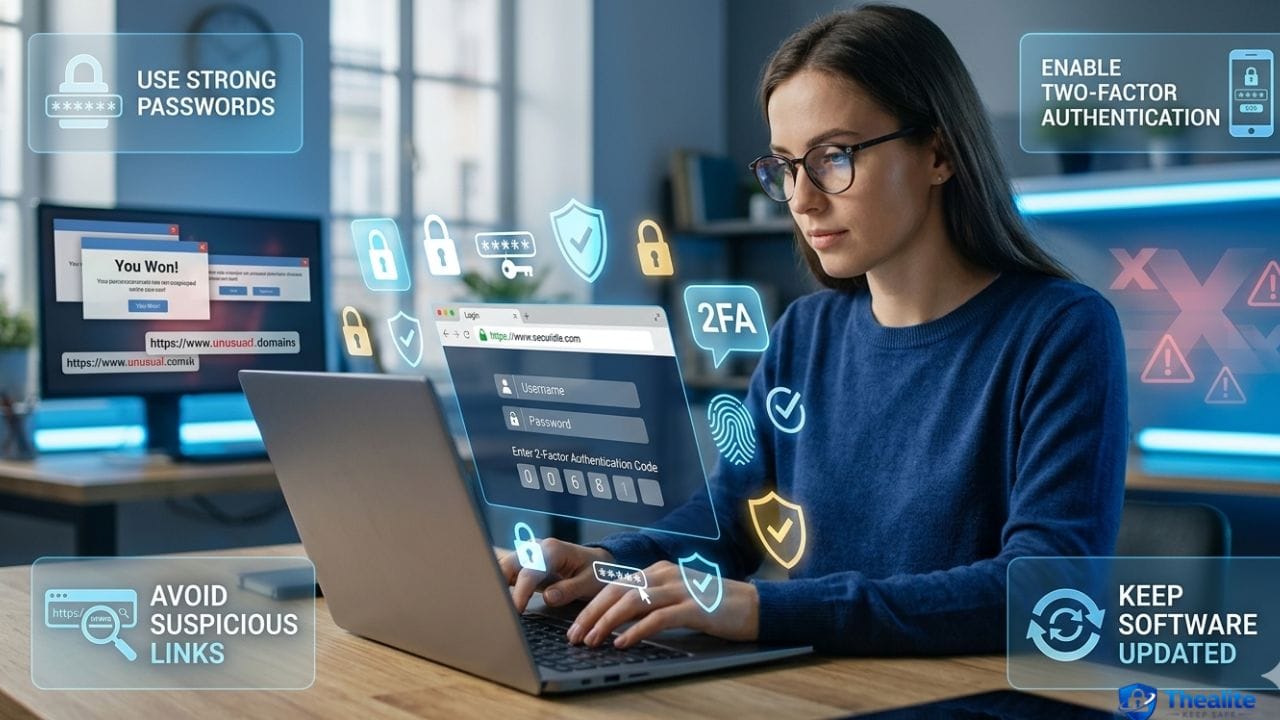
Navigating the digital landscape in the modern age offers unparalleled convenience, yet it also presents a growing number of security challenges. As we spend more of our lives connected, from banking and shopping to socializing and working, understanding the fundamentals of digital security is no longer optional—it is essential. Learning how to keep safe on the internet involves a combination of the right tools and, perhaps more importantly, the right habits. This guide provides actionable advice to help you protect your digital identity and browse with confidence.
Understanding Internet Safety
Internet safety is the practice of following smart protocols to protect your personal information and devices from online threats. It isn’t just about installing an antivirus program; it’s about creating a “security-first” mindset. Cybercriminals often rely on human error rather than technical exploits, which is why education is your first line of defense.
Safe Browsing Habits
What you do while surfing the web directly impacts your vulnerability. Adopting a few simple actions keep you safe while browsing the internet and drastically reduce the risk of falling victim to a scam.
- Verify Site Security: Always look for the “HTTPS” in the URL and the padlock icon. This indicates that the connection between your browser and the server is encrypted.
- Be Skeptical of Pop-ups: Avoid clicking on “urgent” warnings or prize notifications. These are often gateways for malware.
- Check Link Sources: Hover your mouse over a link before clicking to see the actual destination URL in the corner of your browser.
Protecting Your Personal Data
Data is the currency of the digital world. Knowing how to keep your data safe is critical for preventing identity theft. Start by auditing your social media presence. Many users inadvertently share answers to common security questions, such as their pet’s name or the street they grew up on, through public posts.
Additionally, review the privacy permissions on your mobile apps. Many applications request access to your location, contacts, and photos even when it isn’t necessary for the app to function. Limit these permissions to only what is strictly required.
Password and Account Security
Your accounts are only as secure as the “gatekeeper” protecting them. Using the same password across multiple sites is one of the most dangerous habits you can have. If one site suffers a data breach, all your other accounts become vulnerable.
The Golden Rules of Passwords:
- Use a Password Manager: These tools generate and store complex, unique passwords for every site you use.
- Enable Two-Factor Authentication (2FA): This adds a second layer of security, requiring a code from your phone or an app in addition to your password.
- Avoid Common Words: Steer clear of birthdays, names, or simple sequences like “123456.”
Public Wi-Fi and VPN Safety
Public Wi-Fi networks in coffee shops, airports, and hotels are notoriously insecure. Hackers can easily intercept data transmitted over these open connections. So, does a VPN keep you safe on public wifi? The answer is a resounding yes.
A Virtual Private Network (VPN) creates an encrypted tunnel for your data. Even if a hacker manages to intercept your traffic, they won’t be able to read it because it is scrambled. Using a reputable VPN is one of the most effective ways to maintain privacy when you aren’t on your home network.
Device and Network Protection
Keeping your software up to date is a fundamental part of how to keep your internet safe. Developers frequently release updates to patch security holes that hackers have discovered. If you ignore these updates, you are essentially leaving your digital front door unlocked.
- Set your operating system (Windows, macOS, iOS, Android) to update automatically.
- Ensure your home Wi-Fi router is protected with a strong password and uses WPA3 encryption if available.
- Install a trusted security suite that includes real-time threat detection.
Common Mistakes to Avoid
Even tech-savvy users can make mistakes. To keep yourself safe online, avoid these common pitfalls:
- Oversharing: Don’t post your travel plans or photos of your ID or boarding passes.
- Phishing Emails: Never click on links in emails from “banks” or “delivery services” that ask you to log in to “verify” your account. Instead, go directly to the official website.
- Ignoring Browser Warnings: If your browser tells you a site is “Not Secure,” take the warning seriously and leave the page.
Final Thoughts on Staying Secure
The digital world is constantly evolving, but the core principles of safety remain the same. By being mindful of your browsing habits, securing your accounts with 2FA, and using tools like VPNs, you can significantly reduce your risk. Understanding how to keep safe on the internet is a continuous journey of staying informed and remaining vigilant.
Frequently Asked Questions

As a digital marketer, she has received multiple international awards, including Campaign of the Year at the 2023 European Content Awards and Best Use of Content Marketing at the 2022 Global Search Awards. Nicai holds an MSc in Marketing (First Class Honours) from the UCD Smurfit Graduate Business School and she has also completed the Artificial Intelligence Programme at Oxford University’s Saïd Business School. She is also a contributing writer for publications such as Entrepreneur and Esquire.