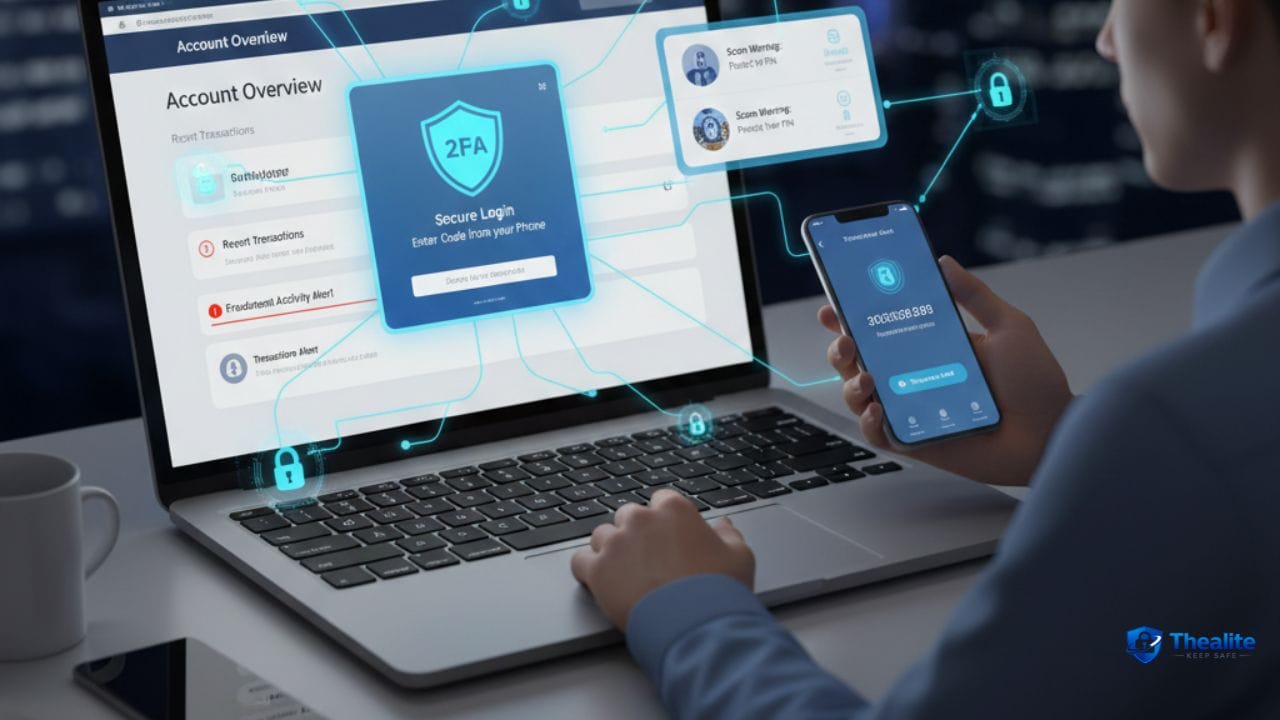
To keep your bank account safe online, focus on the few things that prevent most fraud: use a unique strong password, turn on multi‑factor authentication (2FA) when available, enable real-time transaction alerts, and learn to avoid phishing texts and calls. Most bank fraud starts with stolen logins or someone tricking you into giving a code—not with a hacker “breaking in.”
How Bank Accounts Usually Get Compromised
The most common routes are simple and predictable:
- Phishing texts/emails that lead to a fake banking login page
- Fake fraud calls where someone asks for your code or password
- Reused passwords from old data breaches
- Compromised email account (used to reset banking password)
- SIM‑swap attacks (stealing your phone number to intercept codes)
- Malware on a phone or computer
1) Use a Unique, Strong Banking Password
Your bank password should never be used anywhere else.
Best practice: store it in a password manager so it can be long and random.
- Do not reuse the same password on shopping or social accounts.
- Avoid personal info (birthday, pet name).
- Change it if you get any breach alert or suspicious login notice.
2) Turn On 2FA (If Your Bank Offers It)
2FA adds a second lock. Even if your password leaks, it can block logins.
Prefer app-based or hardware-key methods if available. SMS is better than nothing but weaker.
Also: do not share codes. Not with a caller, not with “support,” not with anyone.
3) Enable Real-Time Alerts (This Catches Fraud Early)
Alerts are one of the best tools because they remove delay.
Turn on alerts for:
- Every card transaction (even small ones)
- Bank transfers and Zelle-style payments
- New payees/beneficiaries added
- Password changes or new device logins
4) Lock Down Your Email (Because It Resets Your Bank)
Many bank takeovers begin with email takeover.
Email security checklist:
- Unique email password
- 2FA on email
- Remove old recovery info
- Check for suspicious forwarding rules
5) Defend Against Phishing (Text, Email, and Calls)
Phishing works because it creates urgency. Your goal is to slow down.
Text and email rules
- Don’t log in from links. Open your bank app or type the bank website yourself.
- Be suspicious of urgent messages: “account locked” / “fraud detected.”
- Check the domain carefully (misspellings are common).
Phone call rules
Fraud callers can spoof your bank’s phone number.
- Never give one-time codes to a caller.
- If you’re unsure, hang up and call the official number from your bank card or official website.
- Don’t let callers pressure you to “act now.”
6) Protect Your Phone Number (SIM‑Swap Defense)
If your bank uses SMS codes, SIM‑swap can be dangerous.
Reduce SIM‑swap risk:
- Add a carrier account PIN and ask about SIM‑swap protections.
- Use authenticator/app-based 2FA where possible.
- If your phone suddenly loses service, contact your carrier immediately.
7) Keep Devices Updated and Locked
Outdated devices are easier to compromise.
- Turn on automatic updates on your phone and computer.
- Use a strong phone passcode and enable encryption.
- Avoid unknown browser extensions.
- Install apps only from official app stores.
8) Use Safer Wi‑Fi Habits for Banking
Banking on public Wi‑Fi isn’t always a disaster, but it’s a higher-risk situation.
- Avoid banking on unknown public Wi‑Fi when possible.
- Use your phone’s hotspot for sensitive logins.
- If you must use public Wi‑Fi, don’t ignore security warnings.
9) Make Transfers Safer (Zelle/Cash App Style Payments)
Instant transfers are convenient, but they’re harder to reverse.
Safer habits:
- Only send money to people you personally know and trust.
- Verify recipient details outside the app (call or text).
- Be cautious of “refund me” scams and fake payment confirmations.
10) What to Do If You Suspect Fraud
Move fast. Speed reduces damage.
- Lock/freeze cards in the bank app.
- Change bank password and email password.
- Call your bank using the official number.
- Review recent transactions and dispute fraud.
- Check for new payees/beneficiaries added and remove them.
- Run a device malware scan if your phone/computer seems compromised.
Quick “Bank Account Safe Online” Checklist
- Unique bank password stored in a password manager
- 2FA enabled (if available)
- Real-time transaction + login alerts enabled
- Email secured with password + 2FA
- Carrier account PIN to reduce SIM‑swap risk
- No banking from random links (open app directly)
- Devices updated and locked
FAQs
Is online banking safe?
It can be safe when you use strong passwords, 2FA, and alerts. Most problems come from phishing and reused passwords, not the banking system itself.
Should I use a banking app or browser?
Both can be fine. The most important thing is updates, strong login security, and avoiding phishing links.
What’s the biggest banking scam to watch for?
Fake fraud calls/texts that ask for your one-time code or try to push you to “verify” your account on a link.
What if my phone number gets hijacked?
Contact your carrier immediately, then change key passwords (email/bank) and review account security and alerts.
More “Keep Safe” Guides
Explore more safety topics at Thealite Keep Safe. For site details, see Privacy Policy, Terms, and Disclaimer.

As a digital marketer, she has received multiple international awards, including Campaign of the Year at the 2023 European Content Awards and Best Use of Content Marketing at the 2022 Global Search Awards. Nicai holds an MSc in Marketing (First Class Honours) from the UCD Smurfit Graduate Business School and she has also completed the Artificial Intelligence Programme at Oxford University’s Saïd Business School. She is also a contributing writer for publications such as Entrepreneur and Esquire.