To keep your password safe, use long unique passwords for every account, store them in a password manager, turn on 2‑factor authentication (2FA), and avoid phishing links that steal logins. Most password “hacks” happen because people reuse passwords or get tricked into entering them on fake sites.
1) Stop Reusing Passwords (This Is the Big One)
If you reuse one password, one breach can open many accounts.
Rule: every important account gets a different password.
- Email, banking, and social accounts must be unique.
- If one site is breached, immediately change that password everywhere you reused it (best: don’t reuse at all).
2) Use a Password Manager (The Easiest Way to Be Safe)
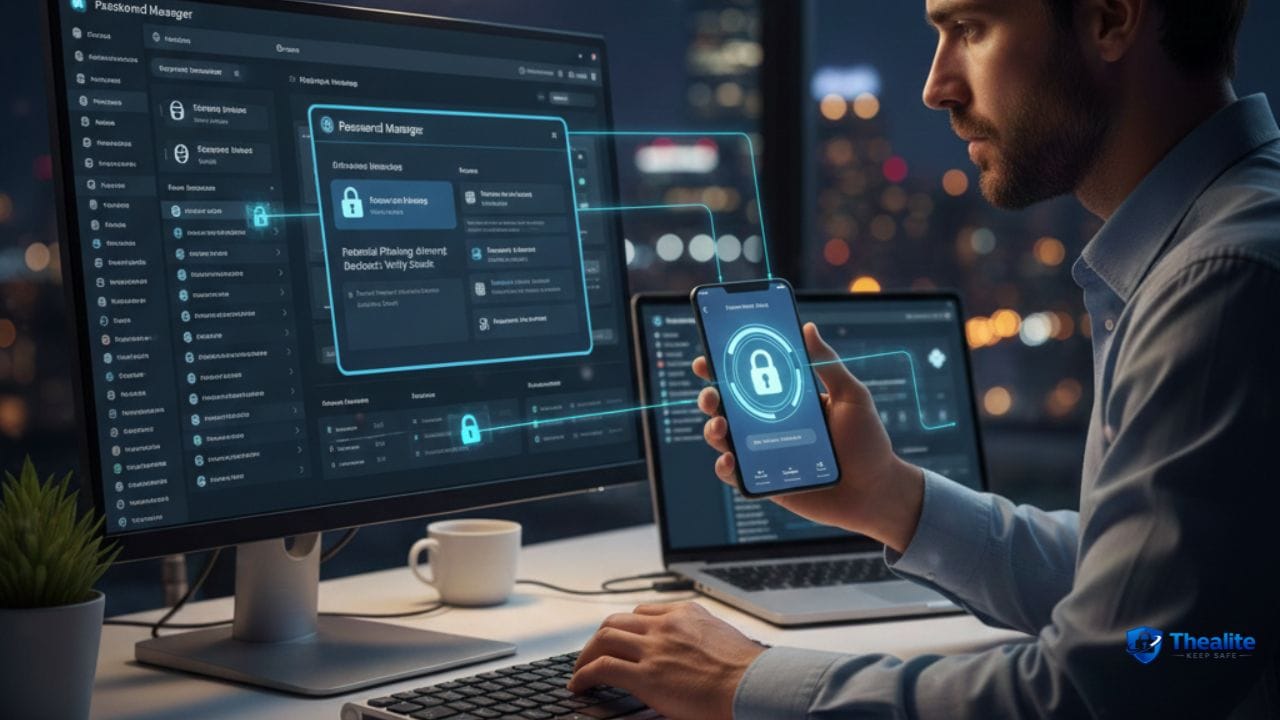
A password manager creates and saves strong passwords so you don’t have to memorize them.
Why it helps:
- Generates long random passwords
- Stops reuse automatically
- Warns you about weak or leaked passwords (in many tools)
Tip: protect your password manager with a strong master password + 2FA.
3) What a “Strong Password” Actually Looks Like
Strong means hard to guess and hard to crack.
Good passwords are:
- Long (12–16+ characters is a good start; longer is better)
- Random (not based on personal info)
- Unique (not used anywhere else)
If you must remember it, use a long passphrase (multiple random words) instead of a short complex string.
4) Turn On 2FA (Even if Your Password Leaks)
2FA is a second lock. It blocks many login attacks.
Preferred 2FA methods:
- Security key (strongest)
- Authenticator app codes
- Push approvals
- SMS codes (weakest, but still useful if nothing else)
5) Avoid Phishing (The #1 Password Theft Method)
Phishing is a fake login page that looks real.
Safer habits:
- Don’t log in from links in emails or texts. Open the app or type the website yourself.
- Check the domain carefully (tiny misspellings are common).
- Be suspicious of urgency: “verify now” / “account locked.”
- Never share verification codes. Real support doesn’t ask.
6) Protect Your Email Password More Than Anything
Email can reset most of your other passwords. If email is hacked, everything else is at risk.
Email safety checklist:
- Unique password
- 2FA enabled
- Recovery phone/email updated
- Login alerts turned on
7) Don’t Store Passwords in Unsafe Places
Some storage methods are risky because they’re easy to leak.
Avoid storing passwords in:
- Plain text notes
- Screenshots/photos
- Google Docs or shared documents
- Unencrypted spreadsheets
If you need a backup, use a password manager or an encrypted vault.
8) Change Passwords When You Should (Not Randomly)
You don’t need to change passwords every week. But you do need to change them in the right situations.
Change your password immediately if:
- You receive a breach notification
- You see suspicious login alerts
- You accidentally entered your password on a suspicious site
- Your phone number/email was compromised
9) Use Device Security to Protect Passwords
Even strong passwords can be stolen if your device is compromised.
- Keep your phone and computer updated.
- Use a screen lock (PIN/passcode).
- Remove unknown browser extensions.
- Avoid installing cracked/mod apps.
If You Think Your Password Was Stolen: Quick Action Plan
Move fast and work in this order:
- Change your email password first and enable 2FA.
- Change the password on the affected account.
- Sign out of all sessions/devices if the site allows it.
- Turn on 2FA for that account (authenticator preferred).
- Check account recovery settings (email, phone, security questions).
- Review recent activity for unauthorized changes.
Quick Password Safety Checklist
- Unique passwords for every account
- Password manager used
- 2FA enabled (email + important accounts)
- No logins from random links (phishing defense)
- Devices updated and locked
FAQs
What is the safest way to store passwords?
A reputable password manager protected with a strong master password and 2FA is one of the safest options for most people.
Is writing passwords on paper safe?
It can be safer than storing them in a digital note, but only if the paper is stored securely and not easily accessible to others.
Should I use the same password with small changes?
No. Attackers can guess patterns. Use truly different passwords for each account.
Are password managers safe?
For most users, yes. The benefit of unique strong passwords outweighs the risks, especially when you protect the vault with 2FA.
More “Keep Safe” Guides
Explore more safety topics at Thealite Keep Safe. For site details, see Privacy Policy, Terms, and Disclaimer.

As a digital marketer, she has received multiple international awards, including Campaign of the Year at the 2023 European Content Awards and Best Use of Content Marketing at the 2022 Global Search Awards. Nicai holds an MSc in Marketing (First Class Honours) from the UCD Smurfit Graduate Business School and she has also completed the Artificial Intelligence Programme at Oxford University’s Saïd Business School. She is also a contributing writer for publications such as Entrepreneur and Esquire.