Keeping your phone in your pocket is one of the most common ways Americans carry a smartphone—especially when running errands, commuting, or going out. Most of the time it’s “safe enough,” but pocket carry has a few real-world downsides: it can increase the risk of theft, screen damage, moisture exposure (sweat/rain), overheating, and accidental calls or emergency alerts.
People also worry about health topics like “phone radiation” (RF exposure). The science can feel confusing, so this guide breaks it down simply: what the practical risks are, what to do about them, and how to carry your phone more safely without changing your life.
Quick Answer
For most adults, it’s generally safe to keep your phone in your pocket, but it comes with practical risks: damage (screen bending/scratching), overheating, moisture, pickpocketing, and accidental calls. If you want a safer setup, use a case + screen protector, keep the screen facing your leg, avoid tight back pockets, disable “tap to wake” or pocket-dial triggers, and don’t keep a charging/overheating phone in a tight pocket. If you’re concerned about RF exposure, carrying the phone slightly away from the body (bag, jacket pocket) or using airplane mode when you don’t need a signal can reduce exposure.
Part 1: The Most Common Pocket Risks (Real-World Issues)
Pocket carry problems are usually practical—not dramatic. Here’s what happens most often and why.
1) Screen scratches, cracks, and “pocket bend”
Phones break in pockets for three main reasons: pressure, friction, and sharp objects.
- Back pockets: sitting puts direct pressure on the phone (higher crack/bend risk).
- Front pockets: keys and coins can scratch the screen and camera lens.
- Tight jeans: constant pressure plus movement increases stress on the frame.
Safer habits:
- Use a case and a quality screen protector.
- Keep your phone in a pocket by itself (no keys/coins).
- Prefer front pockets over back pockets to reduce sit-on-it damage.
- Put the screen facing your leg (screen is less exposed to outside friction).
2) Overheating and battery stress
A phone can heat up in a pocket due to hot weather, body heat, heavy app use, weak signal (phone works harder), or charging. Most phones are designed to manage heat, but overheating can drain the battery faster and, in extreme cases, shut the phone down temporarily.
- Avoid keeping a phone in a tight pocket while charging (especially with fast charging).
- If the phone feels hot, remove it from the pocket and let it cool in open air.
- In summer, avoid leaving the phone pressed against your body while using GPS/video for long stretches.
- If the phone repeatedly overheats, update the OS and check battery health (old batteries run hotter).
3) Moisture (sweat, rain, spills)
Pockets can trap sweat and moisture, and water is still one of the most common causes of phone damage.
- Use a water-resistant case if you sweat heavily or work outdoors.
- Avoid storing the phone in a pocket during workouts if it gets soaked—use an armband or bag.
- If the phone gets wet, dry it promptly and avoid charging until it’s fully dry.
4) Theft and pickpocketing
Phones in easy-to-reach pockets are a common target—especially in crowded places, public transit, events, and tourist areas.
- Avoid back pockets in crowds (easiest target).
- Use a zippered pocket or a crossbody bag worn in front in high-crowd areas.
- Don’t leave your phone half-exposed (top sticking out).
More theft prevention: How to Keep Your Phone Safe From Pickpockets.
5) Accidental calls, emergency SOS triggers, and pocket taps
Many phones can call emergency services or contacts via button sequences. Tight pockets can trigger buttons, and a face-unlocked phone can sometimes activate if it sees your face as you put it away.
Reduce pocket-activation risk:
- Turn on a strong passcode and reduce lock-screen access to sensitive controls.
- Disable features that wake the screen easily (like “tap to wake”) if you pocket-dial often.
- Check your Emergency SOS settings and make sure you understand how it triggers.
- Use ‘raise to wake’ carefully; it can activate in motion depending on your phone.
Part 2: RF Exposure (‘Phone Radiation’) — What to Know
Phones use radiofrequency (RF) energy to connect to cell towers and Wi‑Fi. Some people worry that keeping a phone against the body increases exposure.
Practical, non-alarmist guidance
- RF exposure is generally higher when the phone is actively transmitting (calls, data) and when signal is weak.
- If you want to reduce exposure, create distance: carry the phone in a bag, jacket pocket, or use speakerphone/headphones for calls.
- If you don’t need connectivity (sleeping, movies), airplane mode reduces transmissions.
If you have a medical implant (like a pacemaker), follow your device manufacturer’s guidance and keep phones at recommended distances from the implant area.
Part 3: The Safest Ways to Carry Your Phone (Pocket vs Bag vs Belt)
The ‘best’ way to carry a phone depends on your risk: theft risk, your job (outdoors/physical), and how often you use it.
Front pocket (best everyday compromise)
- Pros: harder to steal than back pocket; less likely to be sat on.
- Cons: still exposes phone to sweat/pressure; can overheat in hot weather.
- Best practice: phone-only pocket + screen facing leg.
Back pocket (highest damage + theft risk)
- Pros: convenient.
- Cons: easiest to pickpocket and most likely to crack/bend when sitting.
- Best practice: avoid when possible, especially in crowds.
Jacket pocket or inside coat pocket
- Pros: less pressure than pants; easier to keep separate from keys.
- Cons: easier to forget/leave behind; can slip out if pocket is shallow.
Bag / crossbody / purse (best for theft + RF distance)
- Pros: can be very secure (zippers); reduces body pressure and can reduce RF exposure by distance.
- Cons: easier to lose if you set the bag down; slower access.
Part 4: Security Settings That Matter If Your Phone Is Stolen
Pocket carry is common—and so is phone loss. The best “phone safety” is preparing for the day it disappears.
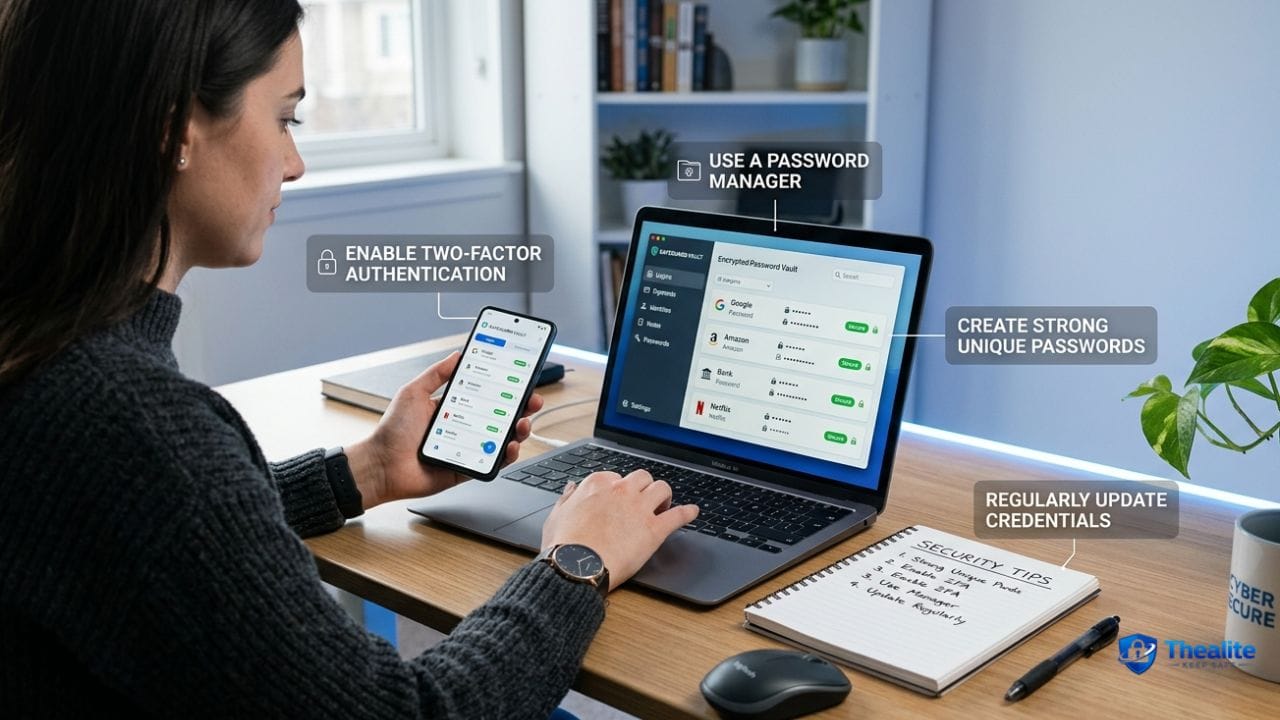
- Enable Find My (Apple) or Find My Device (Google) and keep it on.
- Use a strong passcode (6+ digits or alphanumeric).
- Turn on multi-factor authentication for your email and key accounts.
- Set up lock-screen privacy so 2FA codes and sensitive notifications aren’t visible.
- Keep backups on so losing the phone doesn’t wipe your life.
Related: How to Keep Your Phone Safe • How to Keep Phone Safe From Hackers • How to Keep Your Passwords Safe.
Part 5: Special Cases (Gym, Work, Kids, and Heat)
At the gym
- If you sweat heavily, avoid pocket carry—use an armband, belt clip, or locker.
- Don’t leave the phone on benches unattended (easy grab).
Outdoor work and hot climates
- Heat + direct sun + pocket pressure can overheat a phone. Use shade or a bag when possible.
- If the phone shows a temperature warning, stop using heavy apps and cool it down.
If you carry your phone near other valuables
- Don’t keep phone + wallet + keys in the same pocket if theft risk is high.
- If one pocket gets stolen, you lose everything at once—split valuables when traveling or in crowds.
Copy/Paste Checklist: Safe Pocket Carry for Phones
- Use a case + screen protector
- Prefer front pocket (avoid back pocket in crowds and when sitting)
- Keep phone alone (no keys/coins) and screen facing leg
- Watch heat: don’t charge in a tight pocket; cool it if it gets hot
- Protect from sweat/rain; don’t charge if wet
- Reduce pocket-dials: strong passcode, adjust wake/SOS settings if needed
- Anti-theft: zip pockets or crossbody in crowds; don’t let phone stick out
- Security: Find My on + strong passcode + MFA + lock-screen privacy
FAQs
Is it bad to keep your phone in your front pocket?
Usually it’s fine, but use a case/screen protector, keep it separate from keys, and watch for heat and moisture. Front pockets are generally safer than back pockets for theft and bending.
Can a phone overheat in your pocket?
Yes, especially in hot weather, with heavy app use, weak signal, or while charging. If it feels hot, take it out and let it cool.
Is phone ‘radiation’ worse in your pocket?
Keeping a phone closer to your body can increase exposure compared to carrying it in a bag. If you want to reduce exposure, create distance or use airplane mode when you don’t need connectivity.
How do I keep my phone safe from pickpockets?
Avoid back pockets in crowds, use zip pockets, and keep the phone fully inside. In high-risk areas, use a crossbody bag worn in front.
What’s the safest way to carry a phone at events?
A zippered front pocket or a crossbody bag worn in front is usually safer than a back pocket, especially in dense crowds.
Conclusion
So, is it safe to keep your phone in your pocket? For most people, yes—but it’s not risk-free. The biggest issues are practical: theft, damage, moisture, and overheating. Use a case and screen protector, avoid back pockets in crowds, watch heat (especially while charging), and turn on strong security settings so a lost phone doesn’t become an identity problem.

As a digital marketer, she has received multiple international awards, including Campaign of the Year at the 2023 European Content Awards and Best Use of Content Marketing at the 2022 Global Search Awards. Nicai holds an MSc in Marketing (First Class Honours) from the UCD Smurfit Graduate Business School and she has also completed the Artificial Intelligence Programme at Oxford University’s Saïd Business School. She is also a contributing writer for publications such as Entrepreneur and Esquire.