Your phone is more than a device—it’s your banking app, your messages, your photos, your password reset tool, and often your work and identity hub. That’s why keeping your phone safe is really about three things prevent theft, prevent account takeover, and protect your data if something goes wrong.
This U.S.-focused guide gives you a practical, user-friendly system. You don’t need to be a tech expert. Start with the high-impact basics (passcode, tracking, updates), then tighten privacy, Wi‑Fi habits, and backups.
Quick Answer (Phone Safety in 12 Rules)
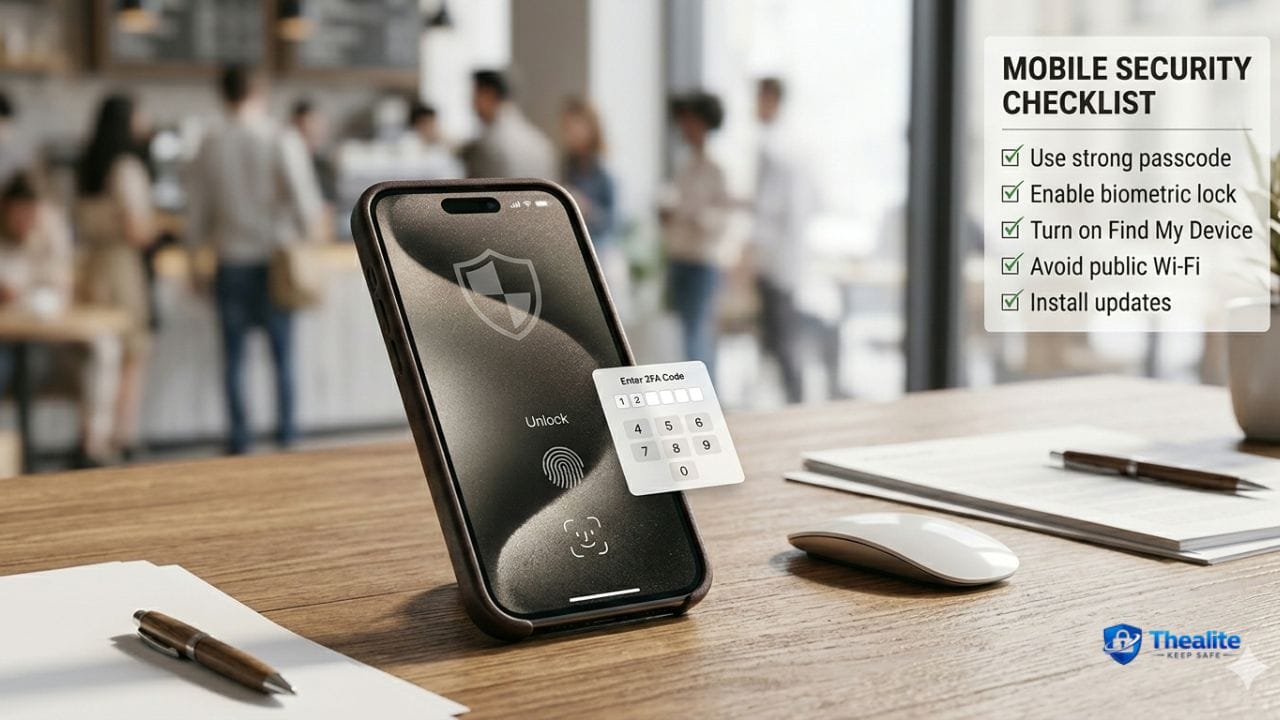
- Use a strong passcode (6+ digits or alphanumeric) and enable Face ID/Touch ID.
- Turn on Find My / device tracking and keep it enabled.
- Enable automatic updates for the phone OS and your apps.
- Use a password manager + unique passwords; protect your email first.
- Turn on two-factor authentication (MFA) for important accounts.
- Reduce lock-screen exposure (hide sensitive notifications; require unlock for control center).
- Avoid unknown links and “support” DMs—phishing is the #1 threat.
- Protect against SIM swaps (carrier PIN + limit SMS-based MFA).
- Use safer Wi‑Fi habits (avoid banking on public Wi‑Fi; use hotspot when possible).
- Review app permissions (location, mic, photos) and remove apps you don’t use.
- Back up your phone regularly (so loss doesn’t become a disaster).
- If stolen: lock it, wipe it, change passwords, and lock cards fast.
Part 1: Protect Your Phone From Theft
Most phone theft is opportunistic: a phone on a café table, a back pocket on a crowded sidewalk, or an unlocked device left in a gym locker. Your goal is to make your phone harder to grab and useless if stolen.
Theft-prevention habits that actually work
- Keep your phone in a front zip pocket or a zippered crossbody worn in front.
- Avoid back pockets in crowds (pickpocket favorite).
- Don’t place your phone on tables near the edge (snatch-and-run is real).
- Use a wrist strap or lanyard in high-crowd environments (optional but helpful).
- At the gym: keep your phone on you or in a locked locker—don’t leave it on the bench.
More on theft prevention: How to Keep Your Phone Safe From Pickpockets.
Make theft less profitable (the ‘useless phone’ idea)
- Strong passcode + biometric unlock = thief can’t access accounts easily.
- Find My enabled = you can locate, lock, and wipe the device.
- Disable lock-screen access to sensitive controls when possible (so thieves can’t quickly change settings).
Part 2: Lock-Screen and Passcode Setup (High Impact)
Your passcode is the gate to everything. A weak passcode turns a stolen phone into an identity theft incident.
Passcode best practices
- Use a 6+ digit passcode (or longer) or an alphanumeric password.
- Avoid predictable codes (123456, birthdays, repeating numbers).
- Enable Face ID/Touch ID, but keep a strong passcode as the real lock.
- Set your phone to auto-lock quickly (1–2 minutes is a good balance).
Reduce lock-screen data exposure
- Hide sensitive notifications on the lock screen (so texts/2FA codes aren’t visible).
- Require unlock for control center/quick settings (reduces thief control).
- Review what widgets and apps show on the lock screen.
Part 3: Protect the Accounts Inside Your Phone
A phone can be ‘secure’ physically but still be vulnerable if your accounts are easy to take over. Attackers often target email first because email resets everything.
Account security basics
- Use a password manager to create unique passwords for important accounts.
- Enable MFA for email, banking, social media, and your Apple/Google account.
- Use authenticator apps or security keys when possible (stronger than SMS).
- Turn on account alerts for logins and password changes.
Related: How to Keep Your Passwords Safe • How to Keep Safe Online.
SIM Swap Protection (U.S. reality check)
A SIM swap is when an attacker convinces your carrier to move your phone number to their SIM. If your accounts use SMS codes, the attacker can receive them.
- Set a carrier account PIN/passcode.
- Ask about port-out protection or transfer locks.
- Avoid SMS-only MFA for high-value accounts; use authenticator apps instead.
- If you suddenly lose cell service, contact your carrier immediately (possible SIM swap).
Part 4: Stop Phishing and Scam Links (The #1 Threat)
Most ‘phone hacks’ start with you clicking a link. Scammers impersonate banks, delivery services, Apple/Google, and even friends.
Phishing rules that stop most attacks
- Don’t click links in random texts/emails—open the official app or type the official site yourself.
- Never share one-time codes, passwords, or recovery codes—real support won’t ask.
- Be suspicious of urgency (“account locked,” “package issue,” “verify now”).
- Check sender details (look-alike addresses and fake domains are common).
More: How to Keep Phone Safe From Hackers.
Part 5: Wi‑Fi, Bluetooth, and Public Charging Safety
Public networks and public charging can increase risk. You don’t have to avoid them forever—just use smarter habits.
Safer Wi‑Fi habits
- Avoid banking and password changes on public Wi‑Fi; use cellular data/hotspot when possible.
- Turn off auto-join for open networks.
- Forget networks you no longer use.
Bluetooth basics
- Turn off Bluetooth when you’re not using it (reduces exposure).
- Don’t accept random pairing requests.
Public charging safety
- Use your own charger and cable when possible.
- Prefer AC outlets over unknown USB ports.
Part 6: App Privacy and Permission Hygiene
Apps can access location, microphone, camera, contacts, photos, and more. Most people grant permissions once and never review them.
Permission cleanup routine
- Delete apps you don’t use (less apps = less risk).
- Review permissions: location, mic, camera, contacts, photos.
- Use ‘While Using the App’ for location when possible (instead of Always).
- Limit ad tracking and review privacy settings in the OS.
Part 7: Backups (So a Lost Phone Isn’t a Disaster)
Backups protect you from two things: losing your photos/data and losing access to accounts that require a device.
Backup best practices
- Enable automatic cloud backups (Apple iCloud or Google backup).
- Back up photos regularly (cloud or computer).
- Store important recovery codes somewhere safe (not only on the phone).
What to Do If Your Phone Is Stolen (Fast Action Plan)
If your phone disappears, minutes matter. Use this order:
- Use Find My (or Google Find My Device) to mark the phone lost and locate it.
- Change your email password and enable/verify MFA (email is priority #1).
- Lock banking cards and monitor transactions; notify your bank if needed.
- Remote-wipe the phone if you can’t recover it.
- Contact your carrier to suspend service (prevents SIM abuse).
- File a police report if needed for insurance or serious theft.
Copy/Paste Checklist: How to Keep Your Phone Safe
- Strong passcode (6+ digits/alphanumeric) + Face ID/Touch ID
- Find My / tracking enabled
- Auto-updates on (OS + apps)
- Password manager + unique passwords; email secured first
- MFA on important accounts (avoid SMS-only when possible)
- Lock-screen privacy: hide sensitive notifications; require unlock for controls
- Phishing defense: don’t click random links; never share codes
- SIM swap defense: carrier PIN + port-out protection
- Public Wi‑Fi: avoid banking; use hotspot when possible
- Review app permissions; delete unused apps
- Backups enabled
- If stolen: Find My → change email password → lock cards → wipe → contact carrier
FAQs
What is the best way to keep your phone safe from theft?
Use a strong passcode, keep Find My enabled, and carry your phone in a secure front zip pocket or zippered crossbody in crowds. Avoid leaving it on tables or in back pockets.
How do I keep my phone safe from hackers?
Keep your phone updated, use a password manager and MFA, avoid clicking unknown links, and review app permissions. Most ‘hacks’ start with phishing.
Is public Wi‑Fi safe for my phone?
It can be risky for sensitive logins. Avoid banking and password changes on public Wi‑Fi and use cellular data or a hotspot when possible.
What should I do if my phone is stolen?
Use Find My to lock/locate it, change your email password first, lock cards, and remote-wipe if needed. Contact your carrier to suspend service.
Do I really need a password manager on my phone?
Yes. It helps you use unique strong passwords, which is one of the biggest protections against account takeover.
Conclusion
To keep your phone safe, focus on the fundamentals: strong passcode, tracking enabled, updates on, and strong account security. Add anti-theft carry habits, phishing defense, SIM swap protection, and backups. With these steps, your phone becomes much harder to steal, hack, or use against you.

As a digital marketer, she has received multiple international awards, including Campaign of the Year at the 2023 European Content Awards and Best Use of Content Marketing at the 2022 Global Search Awards. Nicai holds an MSc in Marketing (First Class Honours) from the UCD Smurfit Graduate Business School and she has also completed the Artificial Intelligence Programme at Oxford University’s Saïd Business School. She is also a contributing writer for publications such as Entrepreneur and Esquire.