Crypto security is different from regular banking. If someone steals your crypto, there’s usually no ‘chargeback’ or customer-service reversal. That’s why the safest crypto owners use a simple system: protect logins, protect devices, protect recovery phrases, and reduce exposure to scams.
This U.S.-focused guide explains the real-world ways people lose crypto (phishing, SIM swaps, fake apps, malicious approvals, exchange compromises, and seed phrase leaks), and gives you a step-by-step plan to keep your cryptocurrency safe.
Quick Answer (The Crypto Safety System)
- Use a hardware wallet for long-term holdings (cold storage).
- Protect your seed phrase like cash and keys: offline, private, and backed up safely.
- Use a password manager + unique passwords, and enable strong MFA (avoid SMS-only when possible).
- Lock down your email account first (it’s your password-reset hub).
- Watch for phishing: never type seed phrases into websites, DMs, or ‘support’ forms.
- Use a clean, updated device; avoid random browser extensions and fake apps.
- Use separate wallets: long-term savings vs daily trading vs experimental DeFi.
- Before sending funds, verify addresses and network (test transaction for large transfers).
Why People Lose Crypto (Most Losses Are Preventable)
Most crypto losses come from predictable mistakes, not advanced hacking. Common causes include:
- Phishing and fake support messages that steal login credentials or seed phrases.
- SIM swap attacks (attacker hijacks your phone number to receive SMS codes).
- Malware or fake wallet apps that steal keys or change destination addresses.
- Storing seed phrases in cloud notes, screenshots, email, or insecure documents.
- Approving malicious smart contracts (DeFi) that drain wallets.
- Keeping too much on an exchange without understanding account takeover risk.
Step 1: Choose the Right Storage Model (Self-Custody vs Exchange)
The first question isn’t ‘which wallet is best’—it’s who holds the keys. If you hold the keys (self-custody), you control the crypto—but you also control the risks. If an exchange holds the keys, your risk shifts to exchange security and your account security.
Option A: Self-custody (you control the keys)
- Best for: long-term holdings and people who want full control.
- Main risks: losing the seed phrase, device compromise, phishing.
- Best practice: hardware wallet + offline seed phrase storage.
Option B: Exchange custody (the exchange holds the keys)
- Best for: active trading, quick conversions, convenience.
- Main risks: account takeover, phishing, and platform outages.
- Best practice: keep only what you need for trading; withdraw long-term holdings to self-custody.
Related: Is It Safe to Keep Crypto on Coinbase.
Step 2: Hardware Wallet Basics (The Best Long-Term Tool)
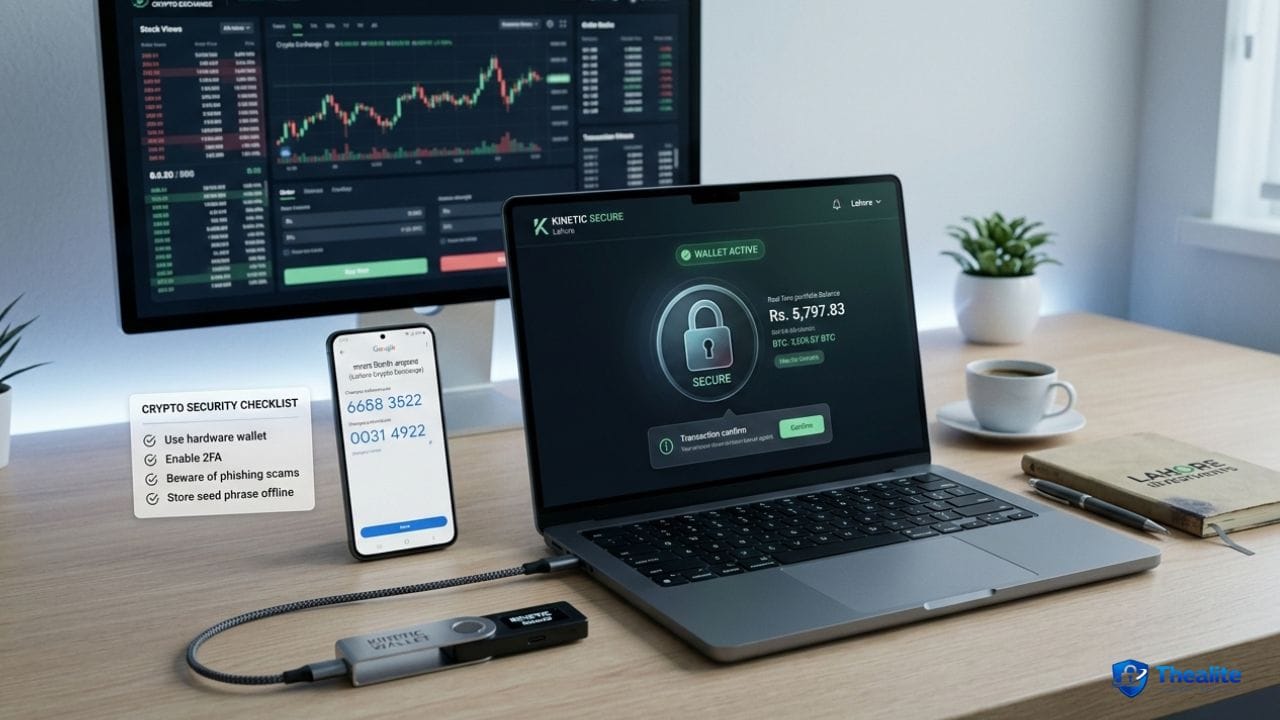
A hardware wallet keeps private keys offline and signs transactions securely. For many people, it’s the most practical upgrade for long-term safety.
Hardware wallet safety rules
- Buy from the official manufacturer or authorized sellers (avoid tampered devices).
- Set a strong PIN and keep it private.
- Update firmware only through official apps/tools.
- Don’t connect your wallet to unknown computers or random browser extensions.
Step 3: Seed Phrase Security (This Is the Master Key)
If someone gets your seed phrase (recovery phrase), they can take your crypto. If you lose your seed phrase and your device is lost/broken, you may lose access permanently. So seed phrase storage is the center of crypto safety.
Seed phrase do’s
- Write it down offline (paper or metal backup for durability).
- Store it somewhere private and physically secure.
- Consider keeping two backups in separate secure locations (to reduce disaster risk).
- Keep it secret—no photos, no screenshots, no email attachments.
Seed phrase don’ts
- Don’t type it into any website or share it with ‘support’.
- Don’t store it in cloud notes or a plaintext document.
- Don’t read it aloud on calls or during screen-sharing sessions.
Step 4: Exchange Account Security
If you use an exchange, treat it like banking—but with even stricter rules.
- Use a unique, long password (password manager).
- Enable MFA (authenticator app or hardware security key when supported).
- Secure your email account with MFA and a strong password.
- Turn on login and withdrawal alerts.
- Use withdrawal allowlists/whitelists if offered.
- Avoid SMS-only security when possible (SIM swap risk).
Step 5: Device Security (Where Key Theft Often Starts)
Crypto security fails when devices are compromised. Keep your computer and phone clean and updated.
- Turn on automatic updates for OS and browser.
- Avoid installing random extensions or cracked software.
- Use reputable security tools and scan if anything feels off.
- Keep your phone locked and avoid sideloading unknown apps.
More: How to Keep Your Computer Safe • How to Keep Safe Online.
Step 6: Phishing and Scam Defense (The #1 Real Threat)
Scammers don’t need to ‘hack the blockchain’—they just need you to click a link and enter a code. Crypto phishing is everywhere: fake sites, fake apps, fake Telegram/Discord support, and look-alike URLs.
Phishing rules that stop most scams
- Never type your seed phrase anywhere online.
- Bookmark official sites and use the bookmark (don’t click ads or DMs).
- Verify URLs carefully (look-alike domains are common).
- Don’t trust ‘support’ messages first—contact support through the official website.
- Be skeptical of ‘urgent’ messages that threaten liquidation or account closure.
Step 7: Safe Transaction Habits
Even honest mistakes can be costly. Sending crypto to the wrong address or using the wrong network can result in permanent loss.
Transaction safety habits
- For large transfers, send a small test transaction first.
- Double-check the first and last characters of addresses.
- Confirm you’re using the correct network before sending.
- Be cautious of clipboard malware. Re-check the address after pasting.
Step 8: Separate Wallets by Purpose (Reduce Blast Radius)
A simple pro move is using different wallets for different purposes. If one gets compromised, you don’t lose everything.
- Cold wallet (hardware): long-term holdings you rarely move.
- Hot wallet: smaller amount for daily use or quick transfers.
- DeFi/testing wallet: small funds only—assume risk is higher.
What to Do If You Think Your Crypto Is Compromised
Move fast and keep calm—minutes matter.
- If an exchange account is compromised: reset password + verify MFA; contact support through official channels; freeze withdrawals if possible.
- If a hot wallet is compromised: move remaining funds to a safe wallet ASAP.
- Re-secure email and phone accounts (SIM swap risk).
- Scan devices for malware and remove suspicious extensions/apps.
- Review wallet approvals/permissions if you used DeFi; revoke suspicious approvals on a clean device.
Copy/Paste Checklist: How to Keep Cryptocurrency Safe
- Hardware wallet for long-term holdings (cold storage)
- Seed phrase stored offline (paper/metal) in secure locations; never photographed
- Password manager + unique passwords; MFA enabled (avoid SMS-only when possible)
- Email secured first (MFA + strong password)
- Phishing defense: never type seed phrase online; use bookmarks; verify URLs
- Device hygiene: updates on; no cracked software; minimal extensions
- Separate wallets: cold vs hot vs DeFi/testing
- Transaction safety: confirm network + test send for large transfers
- If compromised: secure accounts → move funds → scan device → revoke approvals
FAQs
What is the safest way to store cryptocurrency?
For many people, a hardware wallet with an offline, securely stored seed phrase is the safest long-term setup. Keep only smaller amounts in hot wallets or exchanges for convenience.
Is it safe to keep crypto on an exchange?
It can be safe for active trading when you use strong security (unique password + strong MFA + alerts), but long-term holdings are often safer in self-custody.
Should I store my seed phrase in the cloud?
It’s risky. Cloud notes, email, screenshots, and plaintext files can be compromised. Offline storage (paper/metal) in a secure place is safer for most users.
How do people usually lose crypto?
Most losses come from phishing, fake apps, SIM swaps, compromised email, and accidentally approving malicious contracts.
What should I do if I clicked a suspicious link?
Secure accounts immediately: change passwords (starting with email), verify MFA, scan your device, and move funds to a safer wallet if exposure is possible.
Conclusion
To keep cryptocurrency safe, focus on the fundamentals: hardware wallet for long-term holdings, seed phrase stored offline and private, strong passwords and MFA, and strict phishing defenses. Add device hygiene and smart transaction habits, and you’ll eliminate most of the real-world ways people lose crypto.

As a digital marketer, she has received multiple international awards, including Campaign of the Year at the 2023 European Content Awards and Best Use of Content Marketing at the 2022 Global Search Awards. Nicai holds an MSc in Marketing (First Class Honours) from the UCD Smurfit Graduate Business School and she has also completed the Artificial Intelligence Programme at Oxford University’s Saïd Business School. She is also a contributing writer for publications such as Entrepreneur and Esquire.