If you’re asking “how do I keep my phone safe from hackers?”, you’re already ahead of most people. Your phone is basically a master key: it holds your email, banking apps, saved passwords, photos, and the codes that protect your accounts. That’s why criminals don’t always “hack” a phone with complicated tools. Many attacks are simpler—phishing links, fake logins, malicious apps, or taking over your phone number through a SIM-swap.
The best defense is a layered setup. This guide is written for U.S. users and works for both iPhone and Android. You’ll get a clear checklist you can do today, plus a fast plan if you think something is wrong.
Related reading on your site: Keep Phone Safe From Hackers • How to Keep Data Safe and Secure • How to Keep Your Password Safe • Keep Bank Account Safe Online • How to Keep Your Identity Safe Online
Quick Answer (Do These 12 Things First)
- Turn on automatic updates (phone OS + apps).
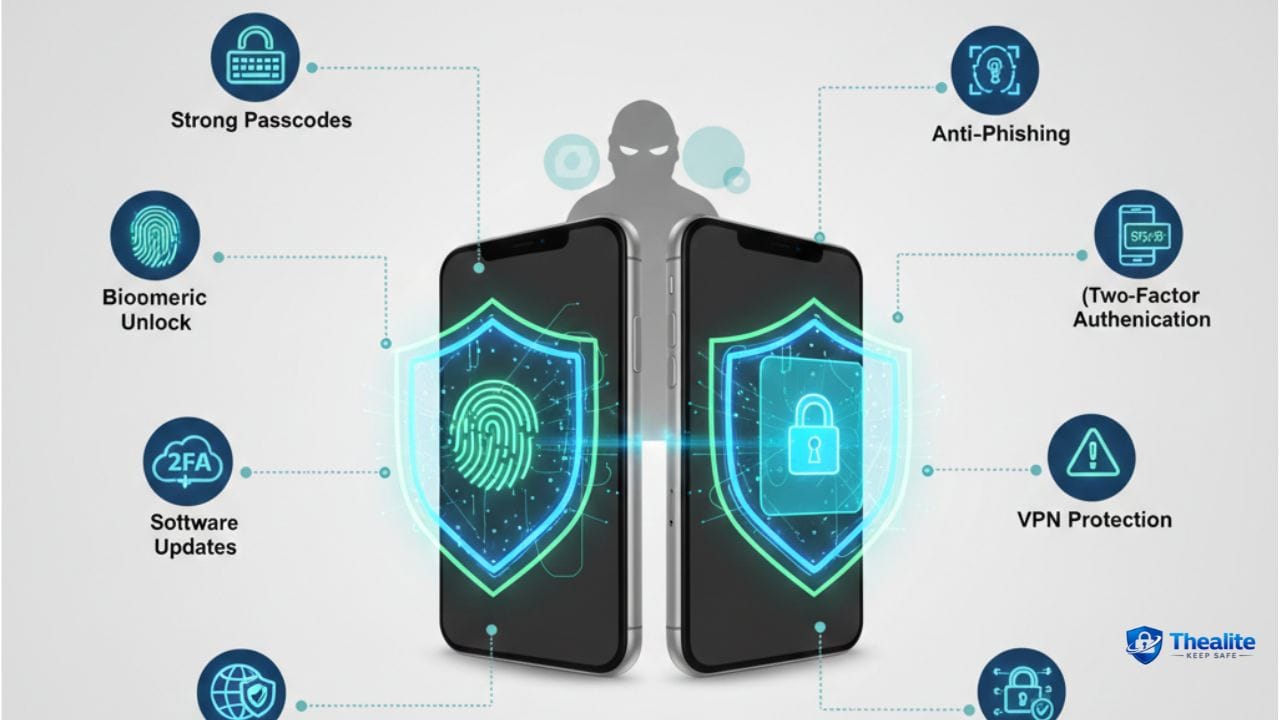
- Use a strong passcode (6+ digits or alphanumeric) + Face ID/Touch ID or fingerprint.
- Enable Find My (iPhone) / Find My Device (Android) and test it.
- Lock down your email (unique password + MFA).
- Use an authenticator app for MFA (avoid SMS when you can).
- Set a carrier account PIN to reduce SIM-swap risk.
- Delete apps you don’t use; avoid risky apps and sideloading.
- Audit app permissions (location, mic, camera, photos).
- Turn off lock-screen previews for sensitive notifications.
- Avoid banking on public Wi‑Fi (use cellular data or a trusted VPN).
- Back up your phone automatically.
- If you suspect hacking: secure email first, then banking, then clean/reset the phone if needed.
How Phones Get “Hacked” in Real Life
Most phone compromises happen through predictable paths. If you can block these, you block the majority of real-world attacks.
Common attack paths
- Phishing texts/emails: fake ‘security alerts’ or delivery notices that steal your login.
- Malicious apps: apps that look normal but track you or steal data.
- Account takeover: attackers get your email password and reset everything else.
- SIM swap: criminals hijack your phone number to receive verification codes.
- Unsafe Wi‑Fi: attackers use fake hotspots or snoop traffic on unsecured networks.
- Stolen phone + weak lock: physical theft becomes account theft.
Physical theft can lead to account theft—see How to Keep Your Phone Safe From Pickpockets.
Step 1: Strengthen Your Lock Screen (First Line of Defense)
If someone gets physical access to your phone, lock settings determine whether they get in.
Lock screen best practices
- Use a long passcode (6+ digits) or alphanumeric code.
- Enable biometrics (Face ID/Touch ID/fingerprint).
- Set auto-lock to 30–60 seconds.
- Hide sensitive notification previews on the lock screen (bank codes, email alerts).
- Avoid easy PINs (123456, birthdays, repeated digits).
Step 2: Update Everything (OS + Apps)
Updates are security patches. Devices that don’t update are easier targets.
- Turn on automatic OS updates.
- Turn on automatic app updates.
- Restart occasionally to finalize security changes.
- If your phone no longer gets security updates, consider upgrading—especially if you bank on it.
Step 3: Protect Email (Email Controls Password Resets)
If a hacker gets your email, they can reset passwords for banking, shopping, social media, and more. For many people, the ‘phone hack’ is really an email takeover.
Email protection checklist
- Use a unique, strong email password (never reuse it).
- Enable MFA (authenticator app or security key).
- Remove old recovery numbers/emails you no longer control.
- Check signed-in devices and sign out unknown sessions.
Related: How to Keep Your Password Safe and Is It Safe to Keep Passwords in Google Docs.
Step 4: Use MFA the Smart Way (Avoid SMS When Possible)
MFA is one of the biggest security upgrades—but SMS codes can be intercepted via SIM swaps. Authenticator apps are generally safer.
MFA options (strong to weaker)
- Security key
- Authenticator app codes (TOTP)
- Push prompts in trusted apps
- SMS text codes (better than nothing, but higher risk)
Step 5: Protect Against SIM Swap Attacks
SIM swapping is a common way criminals bypass SMS security. If your phone suddenly shows ‘No Service’ and calls/texts stop working, treat it as a red flag.
Reduce SIM swap risk
- Set a carrier account PIN/passcode (different from your phone PIN).
- Use a strong password on your carrier online account.
- Move important accounts off SMS to authenticator-based MFA.
- Watch for carrier notices about SIM changes you didn’t request.
Step 6: App Safety (Install Less, Trust More)
Apps are the biggest day-to-day risk surface. Keep your app list lean and be picky.
App safety rules
- Install apps only from official stores (App Store/Google Play).
- Avoid sideloading unless you truly understand the risk.
- Be skeptical of apps with few reviews or weird permission requests.
- Delete apps you don’t use (less surface area).
Step 7: Permission Audit (Location, Mic, Camera, Photos)
Even legit apps can overreach. Tight permissions reduce surveillance and data leakage.
Permission checklist
- Location: set most apps to “While Using” or Off.
- Microphone/Camera: allow only for apps that truly need it.
- Photos: limit to selected photos when possible.
- Bluetooth/Nearby devices: turn off for apps that don’t need it.
Step 8: Safer Wi‑Fi Habits (Public Wi‑Fi Without the Drama)
Public Wi‑Fi increases risk—especially for banking and logins. Use rules, not fear.
Wi‑Fi rules that work
- Avoid banking on unknown public Wi‑Fi; use cellular data instead.
- Turn off auto-join for public networks.
- Forget networks you no longer use (airports, hotels).
- Use a trusted VPN for sensitive tasks when you must use public Wi‑Fi.
Step 9: Backups and Recovery
Backups make it easier to wipe a compromised phone without losing your essentials.
Backup best practices
- Turn on automatic cloud backups (or encrypted computer backups).
- Confirm photos and contacts are syncing correctly.
- Store recovery codes safely (not in plain text on the same phone).
Warning Signs Your Phone May Be Compromised
One odd glitch isn’t always hacking. Multiple signs together matter more:
- Sudden battery drain/overheating with no clear cause
- New apps you don’t recognize or settings changed
- Pop-ups/redirects in browser
- Friends receiving strange messages from you
- Unexpected password reset emails or login alerts
- Sudden loss of cellular service (possible SIM swap)
What to Do If I Think My Phone Was Hacked (Fast Plan)
When you’re not sure, act in a smart order: email → money → phone.
1) Secure email first
- Change email password from a trusted device.
- Enable/confirm MFA and remove unknown devices/sessions.
- Check forwarding rules/recovery settings.
2) Secure banking and payment apps
- Change passwords and review recent transactions.
- Contact your bank if anything is suspicious.
- Turn on stronger MFA methods.
3) Clean the phone
- Delete suspicious apps and update OS/apps.
- If compromise feels serious: back up essentials and factory reset.
- After reset, re-install apps carefully (avoid restoring shady apps).
4) If you suspect SIM swap
- Contact your carrier immediately to re-secure your number.
- Reset passwords again after service is restored (email first).
More on protecting your identity and accounts: How to Keep Your Identity Safe Online • Keep Personal Information Safe Online • Keep Bank Account Safe Online
Phone Security Checklist (Copy/Paste)
- Auto-updates ON (OS + apps)
- Strong passcode + biometrics + short auto-lock
- Find My / Find My Device ON and tested
- Email secured: unique password + authenticator MFA
- Carrier account PIN set (SIM swap defense)
- App list trimmed; no risky installs or sideloading
- Permissions audited (location/mic/camera/photos)
- No banking on public Wi‑Fi; use cellular or VPN
- Backups ON; recovery codes stored safely
FAQs
Can hackers access my phone just by texting me?
Most attacks aren’t from a text alone—it’s usually the link you click or the info you enter. Treat unexpected links as suspicious.
Is iPhone safer than Android?
Both can be safe when updated and configured well. Real-world attacks often rely on phishing and weak passwords on either platform.
What should I change first if I think I’m hacked?
Change your email password first and secure email MFA, because email controls password resets for other accounts.
Should I use a VPN on public Wi‑Fi?
A trusted VPN can reduce risk, but the safest move for banking is still cellular data.
How do I know if I’m SIM-swapped?
Your phone may suddenly lose service, calls/texts stop working, and you might receive carrier notices you didn’t request.
Conclusion
To keep your phone safe from hackers, focus on layers: strong lock screen security, automatic updates, safer app installs, and—most important—protecting your email and phone number. Most attacks are phishing or account takeovers, not Hollywood-style hacking. If something feels off, act fast: secure email first, protect banking, then clean or reset the phone if needed.

As a digital marketer, she has received multiple international awards, including Campaign of the Year at the 2023 European Content Awards and Best Use of Content Marketing at the 2022 Global Search Awards. Nicai holds an MSc in Marketing (First Class Honours) from the UCD Smurfit Graduate Business School and she has also completed the Artificial Intelligence Programme at Oxford University’s Saïd Business School. She is also a contributing writer for publications such as Entrepreneur and Esquire.