A stolen phone isn’t just an expensive replacement—it can turn into a full identity and money nightmare. Modern smartphones store your email, banking access, payment apps, photos, and saved logins. That’s why pickpockets target phones so aggressively in crowded places like concerts, malls, airports, public transit, festivals, and tourist areas.
The good news: you don’t need paranoid behavior or bulky gear to stay safe. A few smart habits—where you carry your phone, how you use it in crowds, and which settings you turn on—can dramatically lower the odds of theft. And if it does happen, having a recovery plan helps you move fast and reduce damage.
Related reading on your site: Keep Phone Safe From Hackers • How to Keep Money Safe When Traveling • Keep Passport Safe While Traveling • How to Keep Valuables Safe at the Beach
Quick Answer: The 7 Best Ways to Stop Phone Pickpocketing
- Don’t use back pockets—ever (especially in crowds).
- Use a zippered front pocket, crossbody bag, or belt bag worn in front.
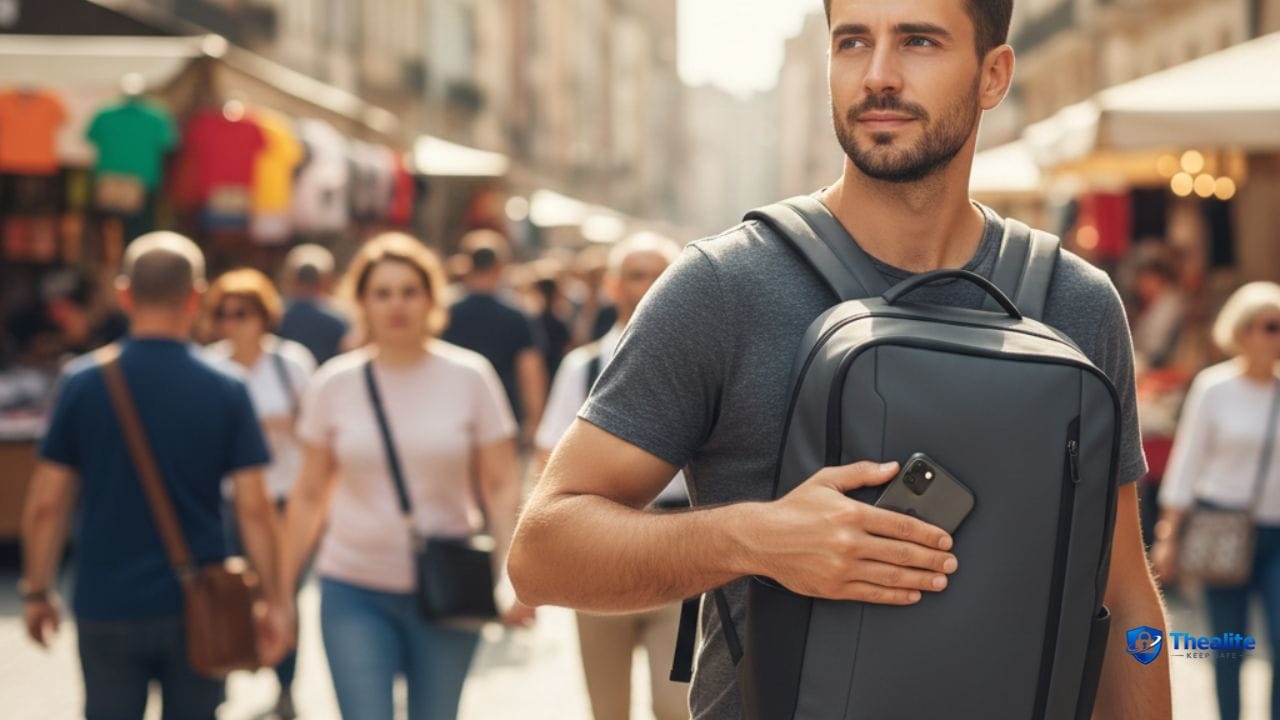
- Keep one hand on your phone in tight crowds and on transit.
- Avoid setting your phone on tables, counters, or stroller trays.
- Turn on Find My (iPhone) / Find My Device (Android) and test it now.
- Use a strong passcode (not 1234), Face ID/Touch ID, and enable theft protections.
- If stolen: lock the phone, change key passwords, contact your carrier, and monitor accounts immediately.
How Phone Pickpocketing Usually Happens
Pickpockets rarely “snatch and run” in a straight line. Most phone theft is a quick grab combined with distraction. Knowing the common setups helps you spot danger early.
Common pickpocket setups
- Crowd squeeze: someone bumps you at a doorway, escalator, or train entrance.
- The ‘helpful’ distraction: someone asks a question while another person reaches for your pocket/bag.
- Spill or jostle: a drink is spilled or you’re pushed as you look down.
- Concert/festival surge: hands go into pockets during sudden movement.
- Table lift: phone left on a bar/restaurant table disappears in seconds.
- Open bag reach: tote bags and backpacks get opened in tight spaces.
Most victims report the same moment: “I felt a bump” or “I looked away for a second.” Your goal is to reduce those opportunities.
Step 1: Carry Your Phone in a Pickpocket-Resistant Spot
Where you carry your phone matters more than any gadget. If your phone is easy to grab, a skilled thief can take it without you noticing.
Best places to carry a phone (ranked)
- Zippered front pocket (tight enough that you feel movement).
- Crossbody bag worn in front with a zipper (not hanging behind you).
- Belt bag/fanny pack worn in front (zipper facing your body when possible).
- Inside jacket pocket with a zipper or buttoned flap.
Places to avoid
- Back pockets (the #1 theft hotspot).
- Open tote bags.
- Backpacks (especially external pockets).
- Loose hoodie pockets in crowded areas.
Step 2: Use Your Phone Differently in Crowds
Pickpockets love moments when your attention is split. These behavior tweaks keep you safe without ruining your day.
Crowd rules that work
- Before you enter a crowd, put the phone away securely (don’t ‘walk and scroll’ into a packed area).
- If you must use your phone, stand with your back to a wall or inside corner.
- Keep your bag in front and your zipper closed—especially when boarding transit.
- Don’t wave your phone around while filming; grip it with two hands.
Step 3: Make It Harder to Grab (Simple Anti-Theft Accessories)
Accessories won’t replace good habits, but a few simple items can add friction—exactly what thieves hate.
Helpful add-ons
- Phone wrist strap or lanyard (especially at festivals and crowded events).
- Grippy phone case (reduces slip and snatch).
- Crossbody phone strap used wisely (keep strap short; don’t let it dangle).
- RFID blocking wallet for cards (optional—pickpockets often steal cards too).
Tip: Avoid anything that makes your phone look expensive and flashy. A low-key case can be a deterrent.
Step 4: Turn On Anti-Theft Phone Settings (Do This Today)
Even with perfect habits, theft can still happen. Your phone settings determine whether a stolen phone becomes a minor inconvenience or a major identity problem.
Essential settings for iPhone and Android
- Enable Find My / Find My Device and confirm you can locate the phone.
- Turn on screen lock with a strong passcode (6+ digits or alphanumeric).
- Enable Face ID/Touch ID (or Android biometrics).
- Set auto-lock to a short time (30 seconds–1 minute).
- Disable lock-screen access to sensitive features when possible (wallet, notifications) to reduce exposure.
For more on securing the phone itself, read Keep Phone Safe From Hackers.
Step 5: Protect What’s Inside the Phone (Your Real Value)
Pickpockets steal hardware. Criminals steal accounts. Treat your phone like the key to your digital life—because it is.
High-impact account protections
- Use a password manager instead of saving passwords in notes/docs.
- Enable two-factor authentication (2FA) on email and banking.
- Use app-level PINs for banking and payment apps when available.
- Avoid keeping photos of IDs or sensitive documents unprotected.
Helpful internal reading: How to Keep Your Identity Safe Online • Keep Personal Information Safe Online • How to Keep Debit Card Safe • Is It Safe to Keep Passwords in Google Docs
Step 6: Travel-Specific Tips (Airports, Hotels, Public Transit)
Travel creates perfect conditions for pickpockets: distractions, crowds, unfamiliar routines, and tired people.
At airports and stations
- Don’t set your phone on TSA bins, counters, or seats—pocket it immediately.
- Secure your phone while boarding (crowd squeeze moments are common).
- Use a crossbody bag worn in front when hauling luggage.
In hotels and rentals
- Don’t leave your phone unattended at pool areas or lobbies.
- Use the room safe for backups (passport, spare cards), not just the phone.
- Charge the phone where you can see it; avoid leaving it on a lobby table.
Related travel safety: Keep Passport Safe While Traveling • How to Keep Money Safe When Traveling • How to Keep Valuables Safe at the Beach
Step 7: What to Do Immediately If Your Phone Is Stolen
Speed matters. The sooner you lock the device and secure accounts, the less damage a thief can do.
The first 10 minutes
- Get to a safe location (don’t chase).
- Use Find My / Find My Device to mark it lost and lock it.
- Sign in from another device ASAP (borrow a friend’s phone or use a computer).
The next hour
- Call your carrier to suspend service (prevents SIM-based misuse).
- Change passwords for email first (email controls password resets).
- Change passwords for banking, payment apps, and social accounts.
- Remove the stolen device from trusted devices in your accounts.
Within 24 hours
- File a police report (useful for insurance/claims).
- Contact your bank if you suspect any card or account exposure.
- Monitor accounts for unauthorized logins and transactions.
Common Mistakes That Make Phone Theft Worse
- Using a simple 4-digit passcode that’s easy to guess.
- Allowing sensitive notifications to show on the lock screen.
- Leaving phone on tables at restaurants and bars.
- Keeping the phone in a back pocket in crowded spaces.
- Not enabling Find My / Find My Device until after theft.
- Using the same password across accounts.
Pickpocket-Proof Phone Checklist (Copy/Paste)
- Carry phone in a zippered front pocket or crossbody bag in front
- Never use back pockets in crowds
- Put phone away before entering packed spaces (transit, events)
- Don’t set phone on tables/counters
- Enable Find My / Find My Device and test it
- Use strong passcode + biometrics + short auto-lock
- Lock down email with 2FA (email is the master key)
- If stolen: lock device, contact carrier, change email password first
FAQs
Where should I keep my phone to avoid pickpockets?
A zippered front pocket or a crossbody/belt bag worn in front is usually safest. Avoid back pockets and open tote bags.
Are phone lanyards and wrist straps worth it?
Yes, especially at festivals, concerts, and crowded tourist areas. They add friction and reduce snatch opportunities.
What’s the most important setting if my phone gets stolen?
Find My (iPhone) or Find My Device (Android), plus a strong passcode and quick auto-lock.
Should I try to track and confront the thief?
No. Prioritize your safety. Use tracking to lock/erase and provide information to law enforcement if needed.
If my phone is stolen, what password do I change first?
Change your email password first, because email often controls password resets for other accounts.
Conclusion
To keep your phone safe from pickpockets, focus on secure carrying (front + zipped), smart behavior in crowds, and strong phone security settings. If theft happens anyway, a fast response—locking the phone, contacting your carrier, and securing email and banking—can prevent a stolen device from turning into a much bigger problem.

As a digital marketer, she has received multiple international awards, including Campaign of the Year at the 2023 European Content Awards and Best Use of Content Marketing at the 2022 Global Search Awards. Nicai holds an MSc in Marketing (First Class Honours) from the UCD Smurfit Graduate Business School and she has also completed the Artificial Intelligence Programme at Oxford University’s Saïd Business School. She is also a contributing writer for publications such as Entrepreneur and Esquire.