Smartphones have become a seamless extension of our daily lives, traveling with us to work, the gym, the grocery store, and everywhere in between. Because we want quick and easy access to our screens, slipping the device directly into a pants or jacket pocket is the default habit for millions of people. However, today’s smartphones are expensive, fragile pieces of glass and advanced circuitry. While carrying your device closely seems convenient, it exposes your phone to a surprising amount of physical stress, environmental hazards, and security risks. Understanding how to protect your device on the go can save you from costly repairs and devastating data loss.
Why People Keep Phones in Their Pockets
The main reason we rely on our pockets is sheer convenience. A pocket allows for immediate access to answer calls, check notifications, or snap a quick photo. For those who do not carry a purse, backpack, or briefcase, pockets are often the only hands-free storage option available. However, as smartphones continue to grow in size and thickness, the traditional pocket is becoming a much tighter and riskier fit for these premium devices.
Is It Safe to Keep Phone in Pocket for Daily Use?
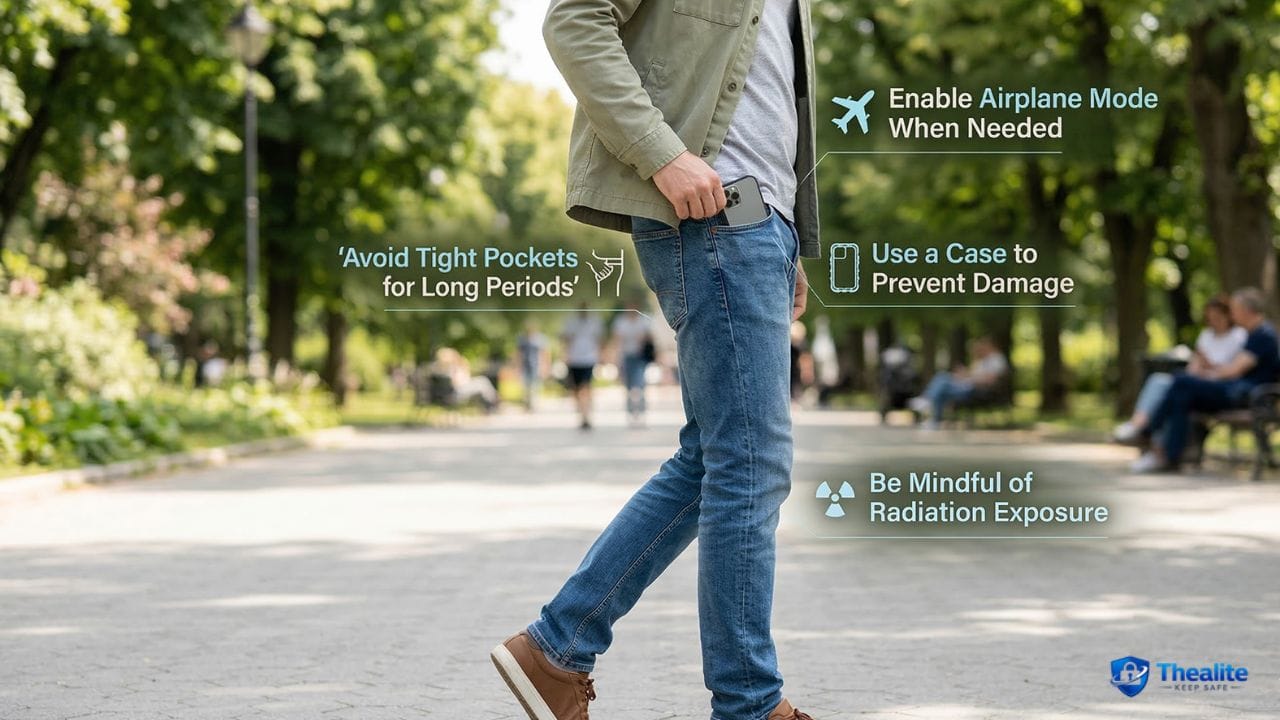
Many users eventually ask: is it safe to keep phone in pocket? Generally speaking, yes, it is safe for everyday, casual use, provided you are mindful of how and where you store it. The primary risks are physical damage to the hardware and the potential for theft, rather than any mysterious health hazards. Modern smartphones are designed to withstand normal movement, but they are not immune to pressure, bending, excessive heat, or the gritty debris that naturally accumulates inside clothing.
Front Pocket vs. Back Pocket
Not all pockets are created equal. The front pocket is significantly safer for your device. It keeps the phone within your direct line of sight and limits its exposure to heavy physical pressure. In contrast, the back pocket is notoriously dangerous. A phone in your back pocket is highly vulnerable to being sat on, which can shatter the screen or permanently warp the metal frame. Additionally, the back pocket is the easiest target for pickpockets in crowded public spaces.
Comfort, Heat, Bending, and Screen Damage Concerns
Physical pressure is a smartphone’s worst enemy. When you sit down with a large phone in a tight pocket, the fabric pulls tightly against the device, applying torque that can bend the chassis. Even a slight bend can crack the internal motherboard. Furthermore, sharing a pocket with metal keys or loose coins is a guaranteed way to scratch your screen or crack your camera lens.
Moisture, Sweat, Dust, and Lint Problems
Pockets are surprisingly dirty environments. The most common cause of charging issues is pocket lint packed tightly into the charging port. Over time, inserting the charging cable compresses this lint until the cable can no longer connect properly. Moisture is another silent killer. On a hot summer day, carrying your phone snugly against your body exposes it to sweat, which can seep into the microphone grills or charging port, triggering the device’s internal moisture sensors and preventing it from charging.
Battery Safety and Charging Habits
Smartphones generate heat during operation, and trapping a working device against your body in a tight pocket restricts airflow. Overheating degrades battery health over time. Never place a phone in your pocket while it is connected to a portable power bank. This creates a severe heat trap. Understanding how to keep lithium batteries safe requires prioritizing good ventilation, which a tight denim pocket simply cannot provide.
Theft Risk and Phone Security in Public
Carrying a phone half-sticking out of a back pocket is an open invitation to thieves. When navigating busy transit stations or tourist attractions, you must secure your device. Just as you research how to keep money safe when traveling by using hidden pouches, you should keep your phone zipped away in a secure, front-facing bag.
Physical theft often leads to digital theft. If a thief grabs your phone while the screen is unlocked, they have instant access to your banking apps, emails, and personal life. Always use a strong biometric lock (Face ID or fingerprint). Mastering how to keep your identity safe online starts with making sure the physical device in your pocket is completely locked down from unauthorized users.
When Pocket Carry Becomes a Bad Idea
There are specific times when you should actively avoid pocket carry. During strenuous physical activity, manual labor, or construction work, a phone in your pocket is highly likely to be crushed against equipment. Instead of risking your device, treat it with the same care as your other valuables. Much like knowing how to keep important documents safe at home in a dedicated lockbox, you should place your phone in a secure, padded bag or dedicated locker while doing heavy work.
Safer Alternatives to Pocket Carry
If you want to protect your investment, consider safer carrying methods. Crossbody bags, small sling backpacks, and specialized tech-pouches offer excellent protection from bending, lint, and sweat. Belt holsters, while sometimes considered unfashionable, are highly effective at keeping large devices safe from pressure. If you are a parent handing a phone to a child in a stroller, a secure lanyard or a thick, drop-proof case is a better option than risking them dropping it out of a shallow pocket. Just be sure that while focusing on physical safety, you also remember how to keep kids safe online before letting them browse.
Common Phone-Carry Mistakes to Avoid
To extend the lifespan of your device, stop making these everyday mistakes:
- Putting a phone in the same pocket as your house keys or loose change.
- Leaving a phone in a back pocket when sitting down on hard chairs or car seats.
- Ignoring pocket lint buildup until the charging port completely fails.
- Carrying a phone in tight athletic wear where sweat can easily seep into the casing.
Frequently Asked Questions (FAQ)
Is it safe to keep phone in pocket?
Yes, it is generally safe to keep a phone in a loose front pocket. However, tight pockets, back pockets, and pockets shared with sharp objects like keys pose a high risk of bending the device, scratching the screen, or accumulating damaging lint.
Is it better to keep a phone in a front pocket or back pocket?
The front pocket is always better. Keeping a phone in a back pocket exposes it to severe bending pressure when you sit down, increases the risk of it slipping into a toilet, and makes it a prime target for pickpockets in crowded areas.
Can sitting on a phone damage it?
Yes, sitting on a modern, thin smartphone can cause the chassis to permanently bend, crack the internal motherboard, or shatter the glass screen. You should always remove your phone from your back pocket before sitting down.
Does heat affect a phone in your pocket?
Yes. Body heat combined with the heat generated by the phone’s battery can cause the device to run unusually warm, especially in a tight pocket with no airflow. Frequent overheating can permanently degrade the battery’s overall lifespan.
How do you protect a phone from pickpockets?
To protect against pickpockets, never keep your phone in a back pocket or an unzipped jacket pocket. Store it in a front pocket, a zipped interior pocket, or a secure crossbody bag worn across the front of your body in public spaces.
Should you keep a phone in your pocket while charging?
No, you should never keep a phone in your pocket while it is connected to a portable power bank. Charging naturally generates significant heat, and a pocket traps that heat, creating a fire hazard and risking battery damage.
What is the safest way to carry a phone every day?
The safest way to carry a phone is in a dedicated compartment inside a bag, backpack, or crossbody sling. If you must use pockets, a loose, deep front pocket without any other items (like keys or coins) is the best option.
How do you keep pocket lint out of a charging port?
You can keep lint out by placing the phone in your pocket upside down (port facing up), using a phone case that features a built-in dust plug for the charging port, or routinely cleaning the port with a wooden toothpick.

As a digital marketer, she has received multiple international awards, including Campaign of the Year at the 2023 European Content Awards and Best Use of Content Marketing at the 2022 Global Search Awards. Nicai holds an MSc in Marketing (First Class Honours) from the UCD Smurfit Graduate Business School and she has also completed the Artificial Intelligence Programme at Oxford University’s Saïd Business School. She is also a contributing writer for publications such as Entrepreneur and Esquire.