Social media accounts hold more than photos and posts—they often contain private messages, contacts, location clues, and even links to shopping or payment tools. That’s why social media is a favorite target for hackers and scammers. If someone takes over your account, they can run scams on your friends, steal personal info, change your email/phone to lock you out, or use your identity to open other accounts.
The best defense is a layered system: strong login security, smart privacy settings, safer posting habits, and fast action if anything looks off. This guide is written for a U.S. audience and works for Instagram, Facebook, TikTok, Snapchat, X (Twitter), YouTube, and similar platforms.
Quick Answer (The 10 Social Media Safety Rules)
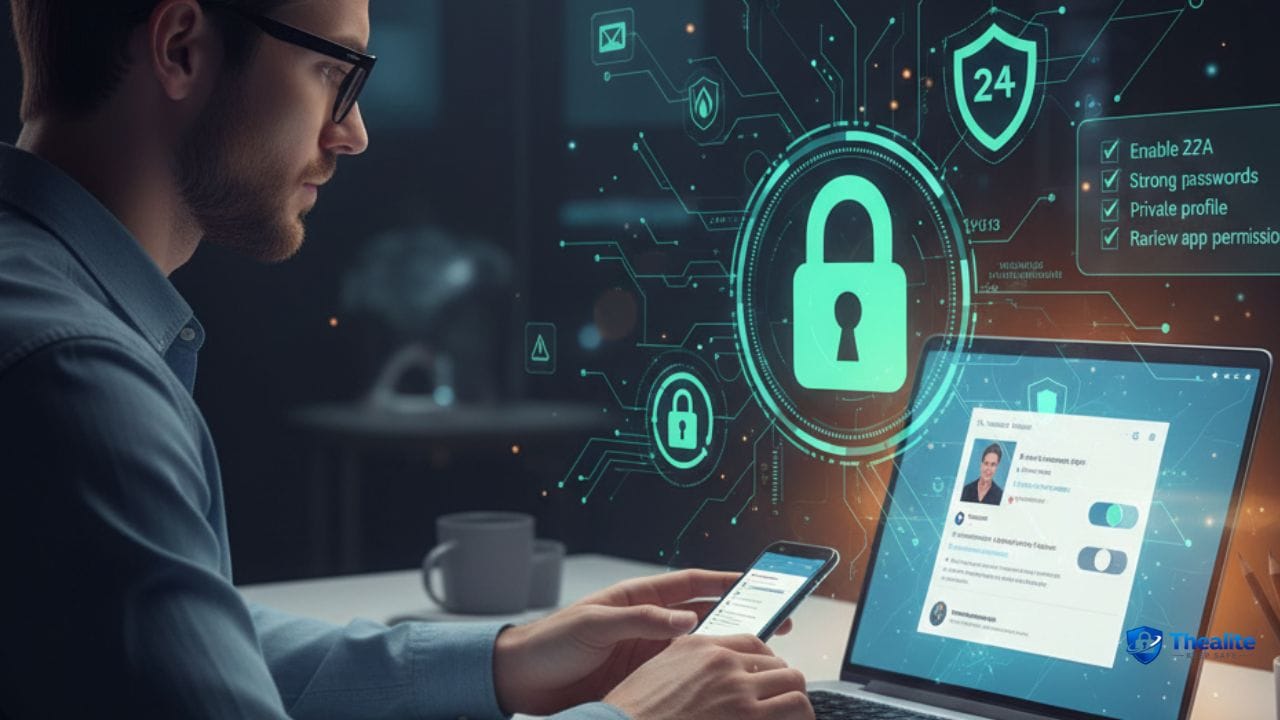
- Use a unique strong password for every social account (no reuse).
- Turn on 2‑factor authentication (2FA) and store backup codes safely.
- Secure the email account linked to social media (email is the reset key).
- Lock down privacy settings: private profile, limited DMs/comments, hide contact info.
- Remove location clues: turn off location tagging and avoid posting real-time locations.
- Watch for phishing and fake “support” messages—never share codes.
- Review connected apps and remove unknown third‑party access.
- Keep your phone and apps updated; use a strong phone passcode.
- Monitor logins and alerts; act fast on suspicious activity.
- If hacked: secure email → reset password → revoke sessions/apps → report to platform → warn contacts.
Step 1: Stop Account Takeovers (Passwords + 2FA)
Most social media hacks aren’t advanced—they happen because of reused passwords, weak passwords, or stolen login codes. If you fix the basics, you block a huge portion of takeover attempts.
Use unique passwords (non-negotiable)
- Never reuse your social password on other sites.
- Use a password manager to create and store strong unique passwords.
- Change passwords immediately if you see suspicious login alerts.
Password guides: How to Keep Your Password Safe • How to Keep Passwords Safe.
Turn on 2‑factor authentication (2FA)
2FA means a password alone isn’t enough. Even if someone learns your password, they still need a second factor.
- Use app-based authenticator codes when possible (stronger than SMS).
- If SMS is your only option, it’s still better than no 2FA.
- Save backup codes in a safe place (not inside your public notes app).
Secure your email account (the real master key)
If someone gets your email, they can reset your social media password and lock you out. Protect email like your front door key.
- Unique strong email password + 2FA for email.
- Review recovery phone numbers and remove old numbers.
- Check email forwarding rules (attackers sometimes add forwarding).
Identity protection: How to Keep Your Identity Safe Online.
Step 2: Lock Down Privacy Settings (Reduce Exposure)
Privacy settings reduce who can see you, contact you, or gather details about your life. Think of this as ‘closing windows’ in your house.
High-impact privacy settings for most platforms
- Set your profile to private (especially if you don’t need public reach).
- Limit DMs to friends/followers you approve.
- Restrict comments and mentions (friends only or approval required).
- Hide your phone number and email from public view.
- Disable contact syncing if you don’t need it.
- Review tagged photos/posts before they appear on your profile.
Location privacy (the doxxing prevention layer)
- Turn off location tagging by default.
- Don’t post your home address, school, or workplace details.
- Avoid posting real-time travel updates (post after you leave).
- Watch backgrounds in photos (street signs, house numbers, school logos).
More: Keep Personal Information Safe Online.
Step 3: Avoid Scams and ‘Fake Support’ Messages
Social platforms are full of scams: fake giveaways, fake brand deals, and fake “copyright violations” that push you to log in on a fake page. Most scams rely on urgency.
Common social media scam patterns
- “Your account will be deleted/verified—click here now.”
- Fake support: someone says they’re the platform and asks for your code.
- Fake giveaways: “You won, confirm your details.”
- Investment/crypto DMs and ‘too good to be true’ offers.
- Impersonation accounts that message your followers for money.
Anti-scam rules that work
- Never share a login code with anyone—ever.
- Don’t click login links in DMs/emails; open the official app/site directly.
- If a message pressures you to act fast, pause and verify from the app settings.
- When in doubt, report and block.
Step 4: Review Connected Apps and Third‑Party Access
Many people connect social accounts to quizzes, editing tools, scheduling apps, or login-with-social buttons. Some are legit; some are risky. Old connections can be a hidden weak spot.
- Check ‘connected apps’ or ‘authorized apps’ in your account settings.
- Remove anything you don’t recognize or no longer use.
- Be cautious with ‘free followers’ or ‘analytics’ apps (common scam category).
Step 5: Keep Your Phone and Devices Safe
If someone gets into your phone, social accounts can fall quickly—especially if you stay logged in.
- Use a strong phone passcode + biometrics.
- Turn on automatic updates for iOS/Android and apps.
- Avoid logging into accounts on shared/public computers.
- Be cautious on public Wi‑Fi (use your cellular connection for sensitive logins).
Device help: Keep Phone Safe From Hackers • How to Keep My Phone Safe From Hackers.
Step 6: Money Safety (If You Shop or Store Cards on Social Platforms)
Some users store payment methods for ads, shopping, or subscriptions. If your social account is tied to money, security matters even more.
- Turn on bank/card alerts for online purchases.
- Use strong security for payment apps and email.
- Review billing/ad accounts for unauthorized charges.
Related: Keep Bank Account Safe Online.
What to Do If Your Social Media Account Is Hacked
Act quickly and in the right order.
Immediate action plan
- Secure your email account first (password + 2FA).
- Reset your social password to a new unique one.
- Log out of all sessions/devices (where the platform allows).
- Remove unknown phone numbers/emails and revoke third‑party app access.
- Report the account takeover to the platform (use official recovery tools).
- Warn friends/followers not to send money or click links from your account.
- Monitor your bank/card if any payments are linked.
If you were impersonated (fake account using your name/photos)
- Report the impersonation account through the platform’s reporting tool.
- Ask friends to report it too (multiple reports help).
- Post a warning on your real account (if you still have access).
- Consider adjusting privacy settings temporarily while you regain control.
Safety for Parents (Kids and Teens on Social Media)
If you’re a parent, the best safety moves are privacy by default, DM restrictions, and frequent check-ins (not surprise confiscations).
Parent guide: How to Keep Your Child Safe on Social Media.
Copy/Paste Checklist: Keep Social Media Safe
- Unique password for every social account
- 2FA enabled + backup codes stored safely
- Email secured with 2FA (reset protection)
- Profile private; DMs/comments restricted
- Location tagging OFF; no real-time posting
- Connected apps reviewed; unknown apps removed
- Phone secured + updates ON
- Phishing rules: no codes, no login links in messages
- Alerts/logins reviewed monthly
- If hacked: email → password → log out sessions → revoke apps → report → warn contacts
FAQs
What’s the most important setting to keep social media safe?
2‑factor authentication plus a unique password. Together, they stop most account takeovers.
Is SMS 2FA good enough?
It’s better than nothing, but app-based authenticator codes or security keys are stronger when available.
How do I avoid being doxxed?
Remove location clues: no address/school/work details, turn off location tagging, and avoid real-time travel posts.
Why do I keep getting ‘account violation’ messages?
Many are phishing. Don’t click links. Open the app directly and check official notifications in settings.
What should I do if someone is scamming my followers using my hacked account?
Recover your account, post a warning, ask followers not to send money, and report the scam messages. Ask friends to report the account too.
Conclusion
To keep your social media safe, focus on the core layers: unique passwords, 2FA, a secured email account, privacy settings that limit strangers, and scam awareness. Add device security and regular reviews of connected apps, and your accounts become much harder to compromise—and much easier to recover.

As a digital marketer, she has received multiple international awards, including Campaign of the Year at the 2023 European Content Awards and Best Use of Content Marketing at the 2022 Global Search Awards. Nicai holds an MSc in Marketing (First Class Honours) from the UCD Smurfit Graduate Business School and she has also completed the Artificial Intelligence Programme at Oxford University’s Saïd Business School. She is also a contributing writer for publications such as Entrepreneur and Esquire.