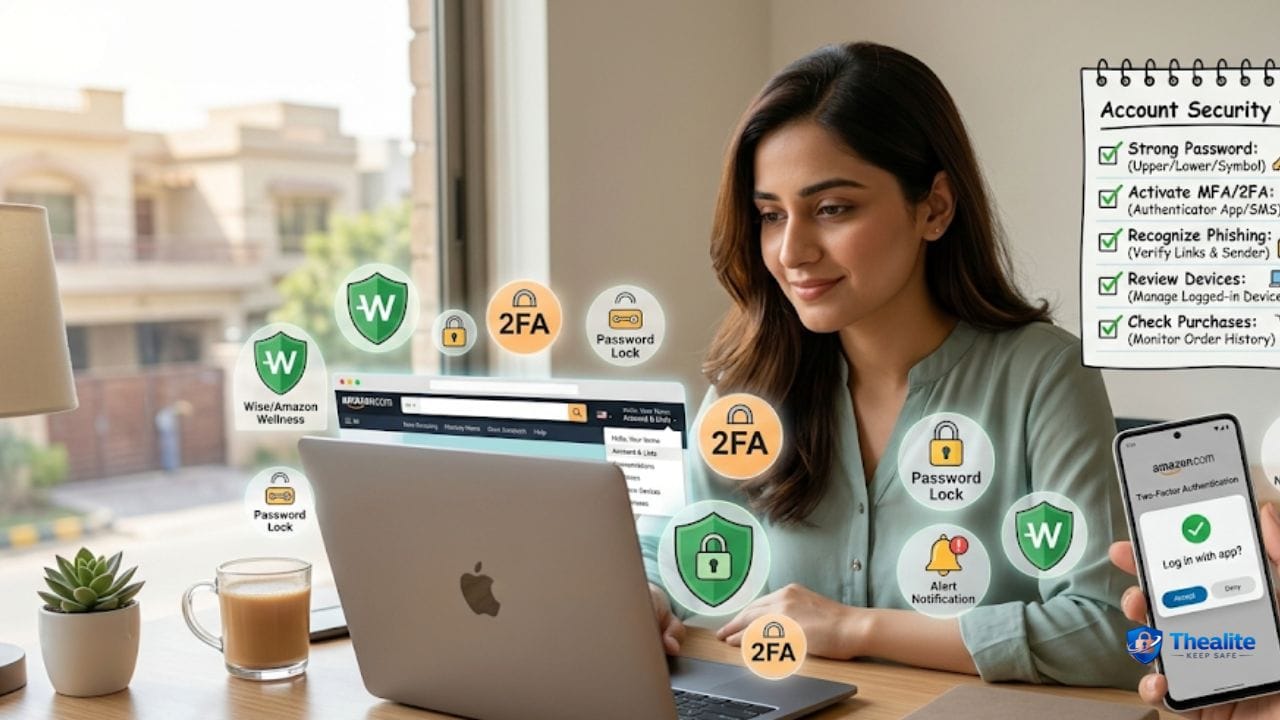
This question usually means: **How do I keep my Amazon account and purchases safe?** Because Amazon accounts store valuable data: saved cards, addresses, order history, and access to digital products and subscriptions. If someone gets into your account, they can place orders, change delivery addresses, drain gift card balances, or use your saved payment methods.
The good news is you can reduce risk a lot with a few security layers: strong passwords, 2‑step verification, safer shopping habits, and fast action if you see anything suspicious. This guide is written for U.S. users and focuses on practical steps you can do today.
Quick Answer (The 7 Amazon Safety Steps)
- Use a unique strong password for Amazon (never reuse).
- Turn on Amazon 2‑Step Verification (MFA).
- Secure the email and phone number tied to Amazon (email is the reset key).
- Review saved payment methods, addresses, and gift card balance regularly.
- Watch for Amazon phishing and “fake support” scams.
- Use safer device habits (updates, screen lock, secure Wi‑Fi).
- If you suspect a hack: change password, sign out devices, contact Amazon support, and monitor cards/bank accounts.
Why Amazon Needs Extra Protection
Amazon is attractive to scammers because it combines **money + delivery + stored personal data**. A compromised Amazon account can lead to:
- Unauthorized orders shipped to a new address
- Gift card balance theft or purchases of digital goods
- Changed account email/phone to lock you out
- Exposure of saved addresses and purchase history
- Fraud attempts using saved cards
Step 1: Use a Unique, Strong Password (Most Important)
Password reuse is one of the biggest reasons accounts get taken over. If one site gets breached and you reused that password on Amazon, attackers try it on Amazon next.
Amazon password best practices
- Use a unique password only for Amazon.
- Use a password manager so you don’t reuse passwords.
- Change the password immediately if you receive a security alert or see weird orders.
Helpful: How to Keep Your Password Safe and How to Keep Passwords Safe.
Step 2: Turn On 2‑Step Verification (MFA)
2‑step verification means a password alone isn’t enough. Even if someone steals your password, they still need the second factor.
- Enable Amazon 2‑step verification in account settings.
- Prefer app-based codes or a security key when available; SMS is better than nothing but can be weaker if your number is hijacked.
- Keep backup methods safe so you don’t get locked out yourself.
Step 3: Secure Your Email (Because Password Resets Go There)
If a criminal gets into your email, they can reset your Amazon password and many other accounts. Email security is the foundation of Amazon security.
- Use a unique password for your email account too.
- Turn on MFA for email.
- Check email forwarding rules and recovery options (remove old phone numbers).
Related: How to Keep Your Identity Safe Online • Keep Personal Information Safe Online.
Step 4: Lock Down Payment Methods and Delivery Addresses
Attackers often place orders and ship them to an address they control. They may also add new payment methods.
Do these monthly (or anytime you see an alert):
- Review your saved cards and remove anything you don’t recognize.
- Check your default shipping address and delete unknown addresses.
- Turn on bank/card alerts for purchases.
Payment safety guides: How to Keep Your Credit Card Safe • How to Keep Debit Card Safe • Keep Bank Account Safe Online.
Step 5: Watch for Amazon Scams (The Most Common Tricks)
Most scams don’t ‘hack’ Amazon—they trick you into giving access or sending money.
Common Amazon scam patterns
- Phishing emails/texts: “Your account is locked—click to verify.”
- Fake customer support calls asking for one-time codes or remote access.
- Delivery scams: fake “problem with shipment” links that steal logins.
- Gift card scams: someone says you must pay Amazon with gift cards (huge red flag).
Anti-scam rules that work
- Don’t click login links in messages—open Amazon directly in your app or type the site yourself.
- Never share verification codes with anyone (real support won’t need them).
- If someone pressures you to act fast, pause and verify (urgency is a scam tool).
Step 6: Keep Your Phone and Devices Safe
If your phone is compromised, your accounts are next. Many people stay logged into Amazon on mobile, which is convenient—but it means your phone security matters.
- Use a strong phone passcode + biometrics.
- Keep your phone and apps updated.
- Avoid shopping/logging in on unknown public Wi‑Fi for sensitive actions.
- Review app permissions and remove suspicious apps.
Related: Keep Phone Safe From Hackers • How to Keep My Phone Safe From Hackers.
Step 7: What to Do If Your Amazon Account Is Hacked
Act quickly and in the right order.
Immediate actions (best order)
- Secure your email first (change password + enable MFA).
- Change your Amazon password to a new unique one.
- Sign out of all devices/sessions (if available) and remove unknown devices.
- Check orders, subscriptions, and digital purchases; cancel/report anything unauthorized.
- Review addresses and payment methods; remove anything you didn’t add.
- Contact Amazon support through official channels and document the case.
- Monitor your card/bank for additional fraud and consider replacing compromised cards.
Extra protection for households
If multiple family members use the same Amazon account, risk increases because more devices and logins exist. Use clear rules so security doesn’t get sloppy.
- Avoid sharing passwords by text; use a password manager if needed.
- Review devices logged into Amazon periodically.
- Teach kids not to click random “Amazon” links and to ask before buying.
Family online safety help: How to Keep Children Safe Online.
Copy/Paste Checklist: Keep Amazon Safe
- Unique Amazon password (not reused anywhere)
- Amazon 2‑Step Verification enabled
- Email account secured with unique password + MFA
- Phone secured (passcode/biometrics) + updates on
- Saved cards reviewed; transaction alerts enabled
- Shipping addresses reviewed; remove unknown addresses
- Gift card balance checked; beware gift-card payment scams
- Don’t click login links; open Amazon directly
- If hacked: email → Amazon password → sign out devices → review orders → contact support
FAQs
What’s the #1 thing I can do to keep Amazon safe?
Use a unique strong password and turn on 2‑step verification. That blocks most account takeovers.
Why do scammers target Amazon users?
Because Amazon accounts often have saved payment methods and addresses, and many people respond quickly to delivery or account alerts.
Are Amazon gift card payment requests legit?
Almost never. Being told to pay Amazon (or a ‘refund fee’) with gift cards is a major scam sign.
Should I keep my card saved on Amazon?
It’s convenient, but it increases impact if the account is compromised. If you keep cards saved, use MFA and turn on bank alerts.
What if I see an order I didn’t place?
Change password immediately, secure email, review addresses/payment methods, and contact Amazon support through official channels.
Conclusion
To keep Amazon safe, focus on account takeover prevention: a unique password, 2‑step verification, and a secured email/phone. Then reduce damage risk by monitoring addresses, saved cards, and orders—and by avoiding phishing links and fake support scams. With these layers, your Amazon account becomes much harder to steal and much easier to recover if something suspicious happens.

As a digital marketer, she has received multiple international awards, including Campaign of the Year at the 2023 European Content Awards and Best Use of Content Marketing at the 2022 Global Search Awards. Nicai holds an MSc in Marketing (First Class Honours) from the UCD Smurfit Graduate Business School and she has also completed the Artificial Intelligence Programme at Oxford University’s Saïd Business School. She is also a contributing writer for publications such as Entrepreneur and Esquire.