Identity theft happens when someone uses your personal information—your Social Security number (SSN), driver’s license details, banking info, or online logins—to take over accounts or open new ones in your name. In the U.S., most cases start with a hacked password, a scam (phishing), or stolen mail. That means you can prevent a lot of damage by protecting a few “high-leverage” areas first.
Quick checklist (highest impact first)
- Freeze your credit with all three major bureaus (blocks most new-account fraud).
- Secure your primary email (unique password + MFA).
- Use a password manager and replace any reused passwords.
- Turn on MFA for banking, shopping, and social accounts.
- Enable bank/credit alerts for purchases, logins, and profile changes.
- Lock down your phone (screen lock + updates + remote wipe).
- Protect your SSN card and key documents; shred sensitive paper.
- Secure your mail (locked mailbox/PO box; hold mail when traveling).
- Learn a few phishing red flags and always verify “urgent” messages.
- Check your credit reports and accounts for anything unfamiliar.
What information to protect most
If you’re short on time, focus on the items criminals can use to pass identity verification or reset accounts:
- Your SSN and driver’s license number.
- Your primary email account (it’s the password-reset hub).
- Your phone number (used for text codes and account recovery).
- Banking and payment apps (where money can move fast).
- Mail that contains account numbers, tax forms, and pre-approved offers.
Step 1: Freeze your credit (U.S.)
A credit freeze is one of the strongest identity theft defenses in the U.S. It stops most lenders from checking your credit, which makes it much harder for someone to open new credit in your name.
Do this:
- Freeze with Equifax, Experian, and TransUnion (three separate freezes).
- Save your login/PIN for temporary lifts when you apply for credit.
- Check your credit reports for unfamiliar accounts or hard inquiries.
Step 2: Secure your email account first
If a criminal gets into your email, they can often reset passwords for your bank, shopping accounts, and social media. Treat email like a master key.
Minimum email security:
- Change to a long, unique password (not used anywhere else).
- Turn on MFA (authenticator app or security key when possible).
- Review recovery settings and remove old/unknown devices.
If you want a simple system for passwords, read how to keep your password safe.
Step 3: Use a password manager + MFA everywhere
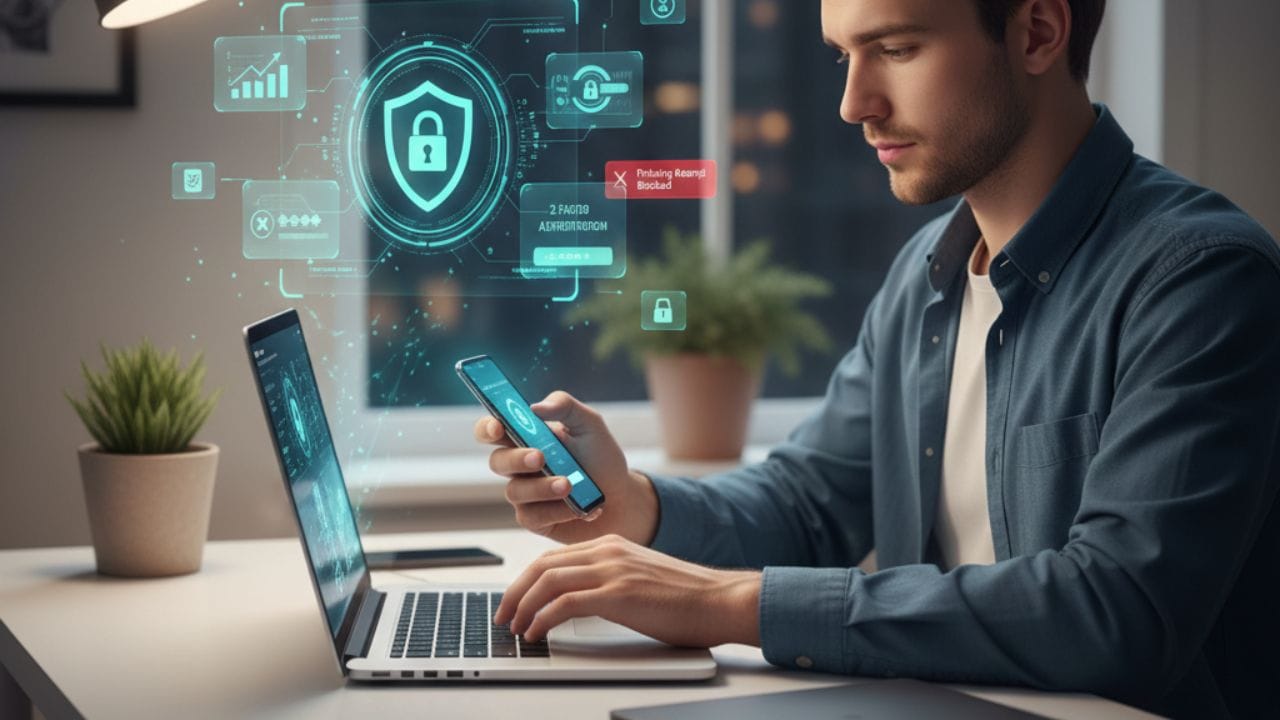
Reused passwords are a common cause of account takeovers. A password manager lets you use a different strong password on every site, and MFA adds a second lock even if a password leaks.
Upgrade your logins:
- Put your password manager behind a strong master password + MFA.
- Replace reused passwords (email, banking, Apple/Google, Amazon, social media first).
- Prefer authenticator-app MFA over SMS when you can.
More tips: how to keep passwords safe.
Step 4: Turn on bank and card alerts
Fast detection is everything. Alerts help you catch fraud the same day instead of weeks later.
Enable alerts for:
- Purchases (especially online), transfers, and withdrawals.
- New device sign-ins, password changes, and new payees.
- Address changes or new cards ordered.
For online banking hygiene, see keep bank account safe online.
Step 5: Protect your SSN and key documents
Offline identity theft is still common. A stolen tax form or pre-approved offer can be enough to start a fraud attempt.
Document rules that work:
- Don’t carry your Social Security card daily—store it securely at home.
- Shred documents with account numbers/SSNs before trashing them.
- Go paperless for sensitive accounts when possible.
Storage help: how to keep important documents safe at home and keep important documents safe online.
Step 6: Secure your mail and address
Mail theft can lead to account takeovers and new-account fraud. Protect anything that shows your full name, address, and account details.
Simple mail protection:
- Use a locked mailbox or PO box if theft is common in your area.
- Pick up mail daily; place a hold when you travel.
- Avoid leaving outgoing mail (especially checks) in an open box.
Step 7: Lock down your phone (and reduce SIM-swap risk)
Your phone often receives login codes and holds your banking apps. If it’s stolen—or if someone hijacks your number via a SIM swap—they may reset accounts.
Phone security basics:
- Use a strong screen lock and keep your OS/apps updated.
- Turn on remote tracking and remote wipe (Find My / Find My Device).
- Ask your carrier about an account PIN or extra protections against SIM swaps.
More: keep phone safe from hackers and how to keep your phone safe from pickpockets.
Step 8: Stop phishing and impersonation scams
Phishing is a top identity-theft trigger because it bypasses security by manipulating you. The goal is usually to steal a password, a one-time code, or personal details.
Rules to follow:
- Slow down—urgency is a classic scam tactic.
- Don’t click “verify now” links; open the official app or type the site yourself.
- Never share one-time codes with anyone (legit companies won’t ask).
To limit what strangers can learn about you online, read keep personal information safe online.
Step 9: Reduce your data exposure
You can’t prevent every breach, but you can reduce the blast radius by minimizing what you share and eliminating weak accounts.
Easy wins:
- Delete old accounts you no longer use (especially shopping sites).
- Avoid oversharing: full birthday, address, travel dates, and kids’ details.
- Use separate emails or aliases for signups when possible.
More digital hygiene: how to keep data safe and secure.
Step 10: Be extra careful when traveling (and help family members)
Travel and busy life moments increase risk—crowds, public Wi‑Fi, and carrying extra documents. Kids and older adults are also frequent targets for scams.
Practical tips:
- Carry only what you need each day; keep spare cards and documents secured.
- Avoid public USB charging stations; use your own charger/power bank.
- Create a family rule: no sharing codes, no “urgent” money transfers without a call-back verification.
Travel checklist: keep passport safe while traveling. For kids’ online safety, see how to keep children safe online.
If you’re exposed or suspect identity theft
If you get a breach notice, see unfamiliar charges, or receive mail for accounts you didn’t open, act quickly. Your goal is to stop new fraud and regain control of accounts.
Fast response plan (U.S.):
- Freeze your credit (or confirm it’s still frozen) and consider a fraud alert.
- Change passwords starting with email, then banking, then everything else.
- Review account settings for new payees, forwarding rules, or recovery changes.
- Check your credit reports for new accounts and hard inquiries.
- Report and follow recovery steps at IdentityTheft.gov (FTC) and keep a log of actions.
FAQs
Should I freeze my credit even if I have strong passwords?
Yes. Strong passwords protect existing accounts, but a credit freeze helps block new-account fraud that uses your personal details.
Is SMS-based MFA good enough?
It’s better than no MFA, but authenticator apps or security keys are typically stronger because SIM swaps can compromise text messages.
What’s the single most important account to protect?
Your primary email account, because it’s used to reset passwords and recover access to many other accounts.
How can I tell if my identity is being used?
Common signals include new credit inquiries, bills for accounts you didn’t open, password-reset emails you didn’t request, or missing mail.
Related guides on The Alite Keep Safe
- How to keep your identity safe online
- Keep personal information safe online
- How to keep your password safe
- Keep bank account safe online
- Keep phone safe from hackers
- Keep passport safe while traveling

As a digital marketer, she has received multiple international awards, including Campaign of the Year at the 2023 European Content Awards and Best Use of Content Marketing at the 2022 Global Search Awards. Nicai holds an MSc in Marketing (First Class Honours) from the UCD Smurfit Graduate Business School and she has also completed the Artificial Intelligence Programme at Oxford University’s Saïd Business School. She is also a contributing writer for publications such as Entrepreneur and Esquire.